Back to works

From blank page to 36% conversion rate with AI features

UXfolio is a portfolio builder tailored for UX designers and researchers. We designed UXfolio's very first AI features to solve the biggest pain point our users face when building their portfolios: how to start a case study.

Product
UXfolio
Industry
SaaS
Team size
1 Designer + 1 Developer
Timeline
6 weeks

Goal

Our growth team had a clear focus: strengthen UXfolio's activation moment, the point where users add their first case study and experience what makes the product different from generic website builders.

Activation has a massive impact on non-paying users converting to premium. Non-activated users converted at just 0.5%, while activated users converted at 17%. We wanted to make this moment more impactful, using AI.

Challenge

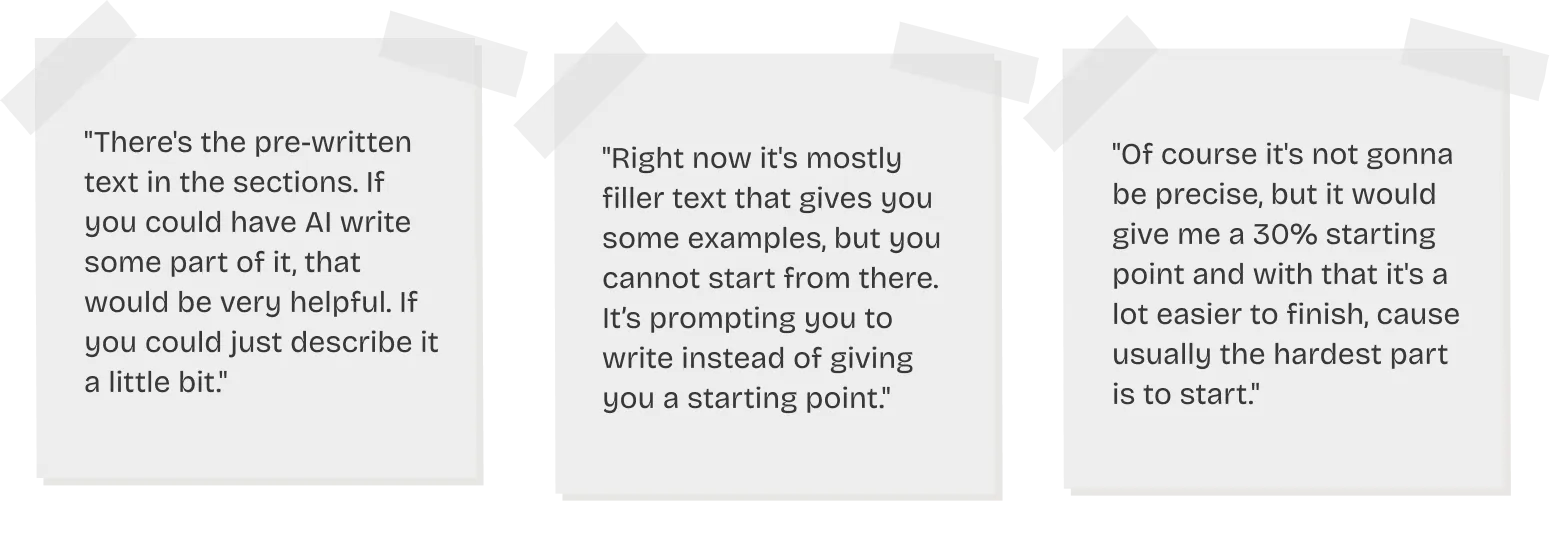
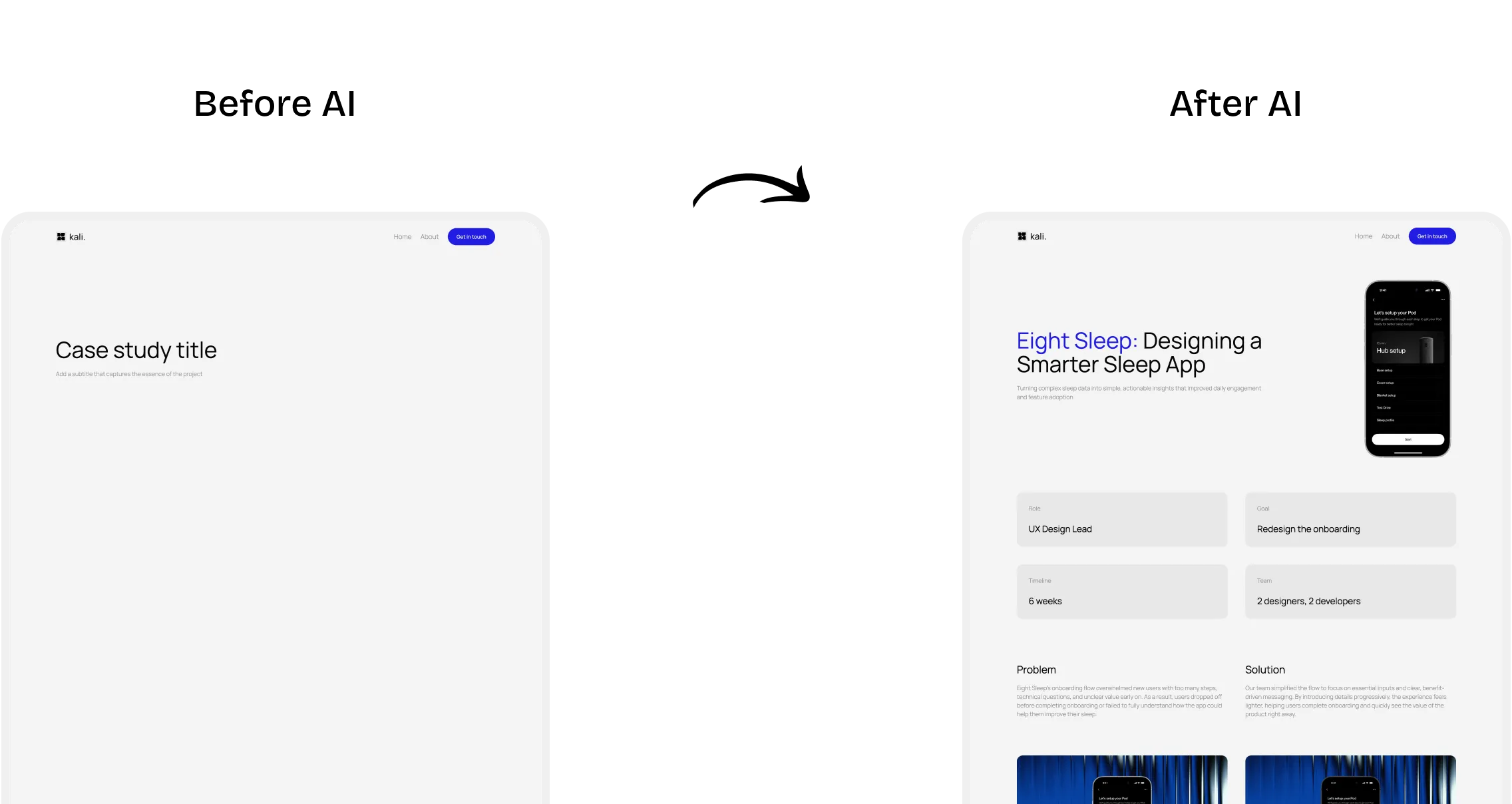
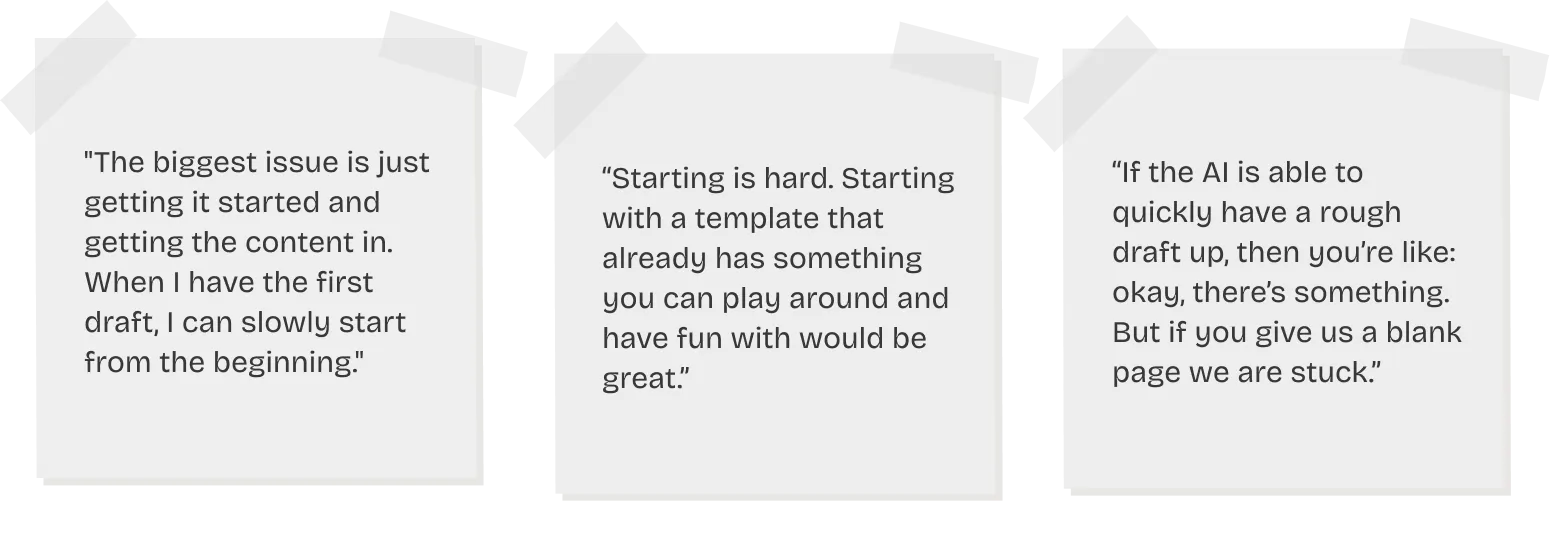
User interviews revealed a consistent pattern: starting a case study is the hardest part. Designers stare at a blank page, wondering how to structure it, what to write, and how to keep recruiters engaged. UXfolio already provided a default structure, but users told us the pre-written text (our solution before AI) felt like a placeholder, rather than a real starting point they could build on.

Outcome

We shipped two AI features that transformed the case study creation experience. Users who generated a case study with AI converted to premium at 36%, more than double the previous activation conversion rate. Over 65% of all case studies are now created using the AI generator, and 91% of users rated it useful in our in-app survey.

36%
conversion rate
65%
adoption rate
91%
positive feedback
Timeline
1 /
Discovery: understanding the problem

The blank canvas problem

We started by interviewing designers to find out their biggest pain point when building case studies. The pattern was overwhelming and consistent: getting started is the hardest part.

Evaluating the current solution

We then interviewed UXfolio users specifically about how they felt about the existing case study creation flow. They confirmed that the structure was helpful, but the default content wasn't.

Why this matters: activation drives conversion

The data made the business case clear too. Before the AI features, users who never added a case study converted at just 0.5%. Users who added only an empty case study converted to premium at 9%, and those who added a case study with default helper text converted at 17%.

2 /
Feature 1: Case study generator

How might we help designers overcome the blank canvas?

After ideation sessions,  it became clear that we needed an AI-powered case study generator that provides a tailored starting point based on the user's project. UXfolio already had a user-approved structure, so what was missing was personalized content.

How it works

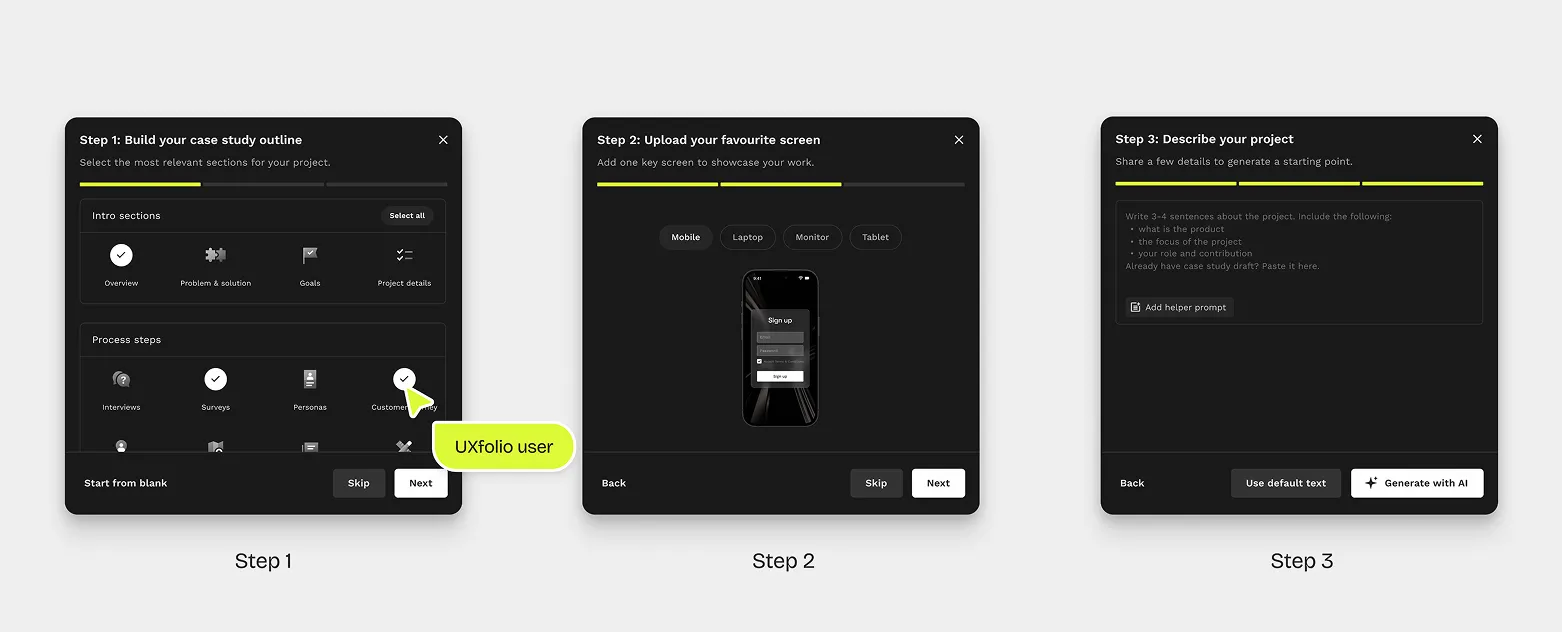
Since users found the existing section types useful, we used them as the foundation of the generator. The generation flow follows consists of three simple steps (all of which can be skipped):

Step 1: You select the relevant sections for your project choosing from intro sections (like Overview, Problem & Solution, Goals, Project Details), methods (Interviews, Surveys, Wireframes, Prototyping, and more), and closing sections (Business Impact, Learning, Next Steps).

Step 2: You choose a device frame and upload a key screen from your project. This image is used for the hero section and thumbnail, and also helps users discover UXfolio's built-in mockups and thumbnail designer.

Step 3: You briefly describe your project in a few sentences. We offer a helper prompt (an open-ended sentence starter ) to make this easy. Then you hit "Generate with AI" and your personalized case study draft appears.

Results

The impact was immediate and significant:

65% of all case studies are now created using the AI generator. It quickly became the default way users start their case studies.

36% conversion rate for users who generated an AI case study. The AI generation nearly doubled the conversion rate compared to case studies with default helper text.

91% of users rated the feature "useful" in the in-app survey that appeared after first use.

3 /
Designer–developer collaboration

Building AI features required a different kind of collaboration than a typical feature. Throughout prompt engineering and implementation, our designer/developer duo worked in close collaboration.

Prompt engineering as a shared task

Writing the system prompt was an iterative process . To make this sustainable, the developer built an admin panel where the designer could edit and test the system prompt directly in a staging environment without needing developer help for every change.

From design to release in one week

When building the case study generator, our developer designed the AI infrastructure in the product to be easy to scale. This investment paid off immediately: when it came time to build the writing assistant, the foundation was already in place. The second feature was developed and released in only one week, a speed that was only possible because we didn't have to rebuild the AI layer from scratch.

4 /
Feature 2: Writing assistant

Follow-up research: users still relied on external tools

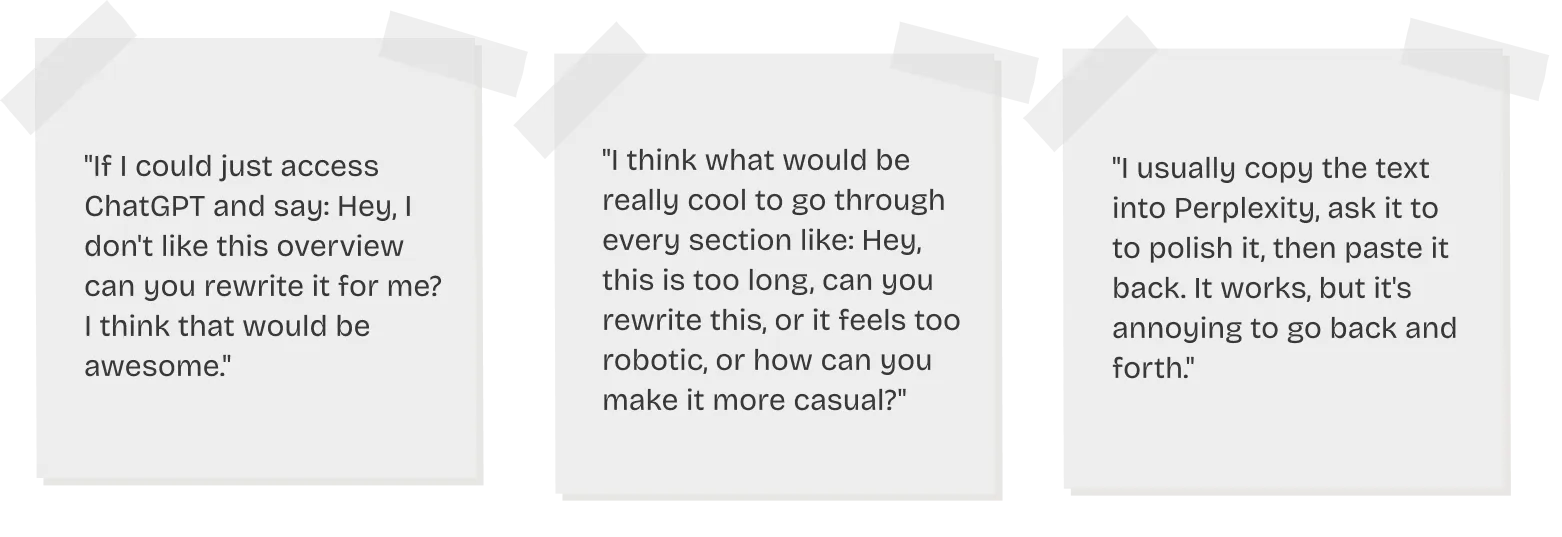
After launching the case study generator, we conducted follow-up interviews. They revealed that even with a solid starting draft, users were still switching to external AI tools like ChatGPT, Perplexity, or Claude to polish their case study text.

How might we help users refine their case studies without leaving UXfolio?

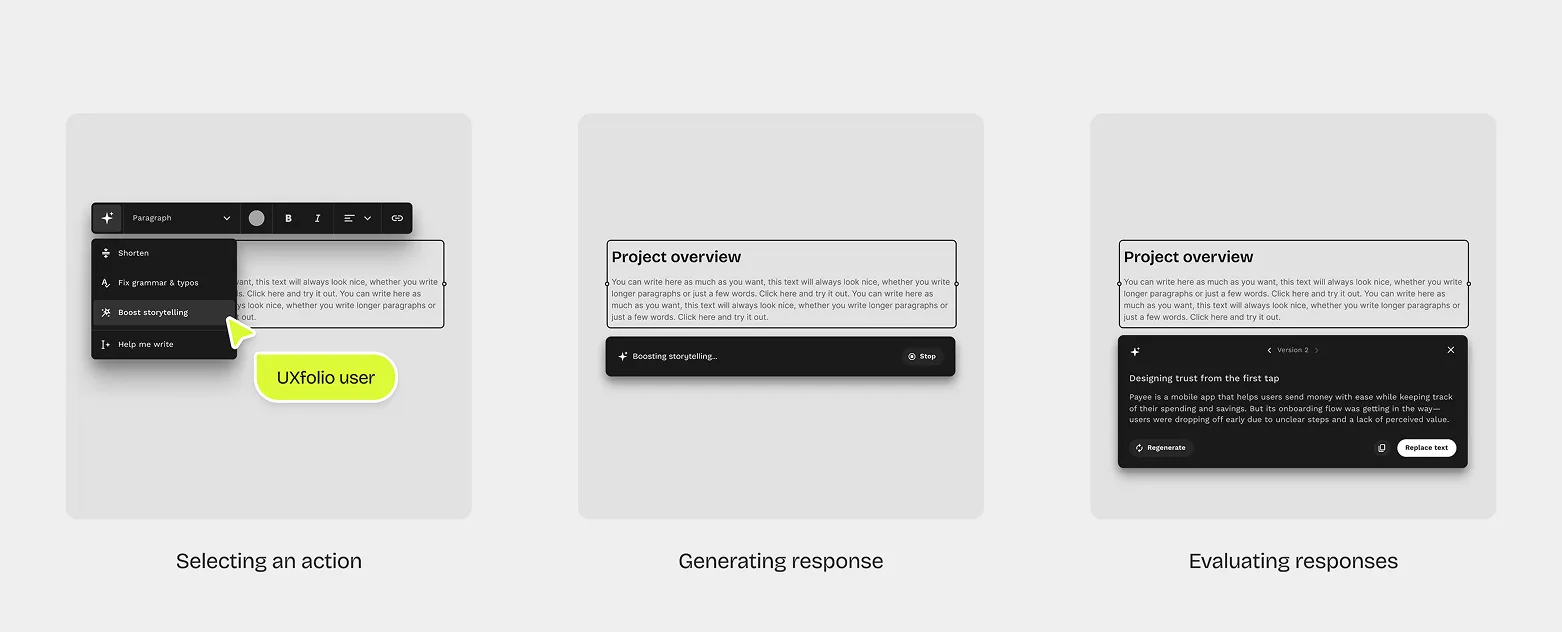
The solution: a section-level writing assistant with quick action presets for fast editing, embedded directly in the text editing toolbar.

How it works

The assistant is embedded in the text editing toolbar with four quick actions: shorten, fix grammar & typos, boost storytelling and a custom prompt option.

You click on an action, and the AI result appears below your original text, without replacing it. You can then Replace your text with the result, Copy it, or Regenerate for a different version. Version control lets you navigate between generated versions.

Results

Boost storytelling became the #1 action — used in 63% of all writing assistant interactions. While our team was initially skeptical, our  users proved that the lead designer’s hunch was right, and storytelling help was exactly what they needed.

65% click-through rate — the percentage of users who discovered the feature and ended up using it.

70% replace rate — the percentage of users who immediately replaced their original text with the AI-generated version.

5 /
What these features unlocked

These two features turned case study creation into UXfolio's strongest activation lever. Users went from  a blank page to publishing polished, story-driven case studies without ever leaving the product.

But this is just the beginning. The case study generator and writing assistant proved that AI can remove friction at critical moments, and now we're expanding that same approach to the entire portfolio editing experience.

Our plan is to make AI a companion for the entire journey  so that the same confidence users feel when generating their first case study extends to every step of building their portfolio.

work with dedicated ux professionals
Get in touch
Schedule a call
Drop a message