AI assistant or dedicated UX researcher: How to know what your team needs

Product teams face situations every day that require understanding their users: which feature to prioritise, why retention is dropping, whether a new flow actually makes sense. In an ideal world, a dedicated UX researcher would help answer these questions, but in practice, many teams don't have one – whether because the team is still small, budgets are tight, or the hiring just doesn’t feel justifiable yet. Research still happens, often carried by someone doing their best alongside a full plate of other tasks.
AI entered this problem space. While it can be genuinely useful, AI models work best when they have clear directions and a human who knows enough to catch what the model gets wrong.
It's tempting to bring an AI tool into the workflow and assume the hard part is over. But having the tool and knowing how to use it well are two different things, and missing that difference is where most of the trouble begins.
Our UX research team has been experimenting with AI tools and building AI agents of our own to see where they hold up and where they don't. We’re here to share what we've learned, where we think product designers, PMs, and other product team members can use AI to help with their research work, and where a dedicated UX researcher needs to step in.
What research looks like without a dedicated researcher
Before we talk about where AI can help, it’s worth looking at how research usually happens on teams without a dedicated researcher. In most cases, research doesn’t disappear; it gets squeezed in around other responsibilities and adapts to whatever time and capacity are available.
The most common scenario we see is a designer who also does research. They care about users, they've run interviews and usability tests before, and they know roughly what good research looks like. But research isn't their primary job, so it never gets the time and attention a dedicated researcher would give it.
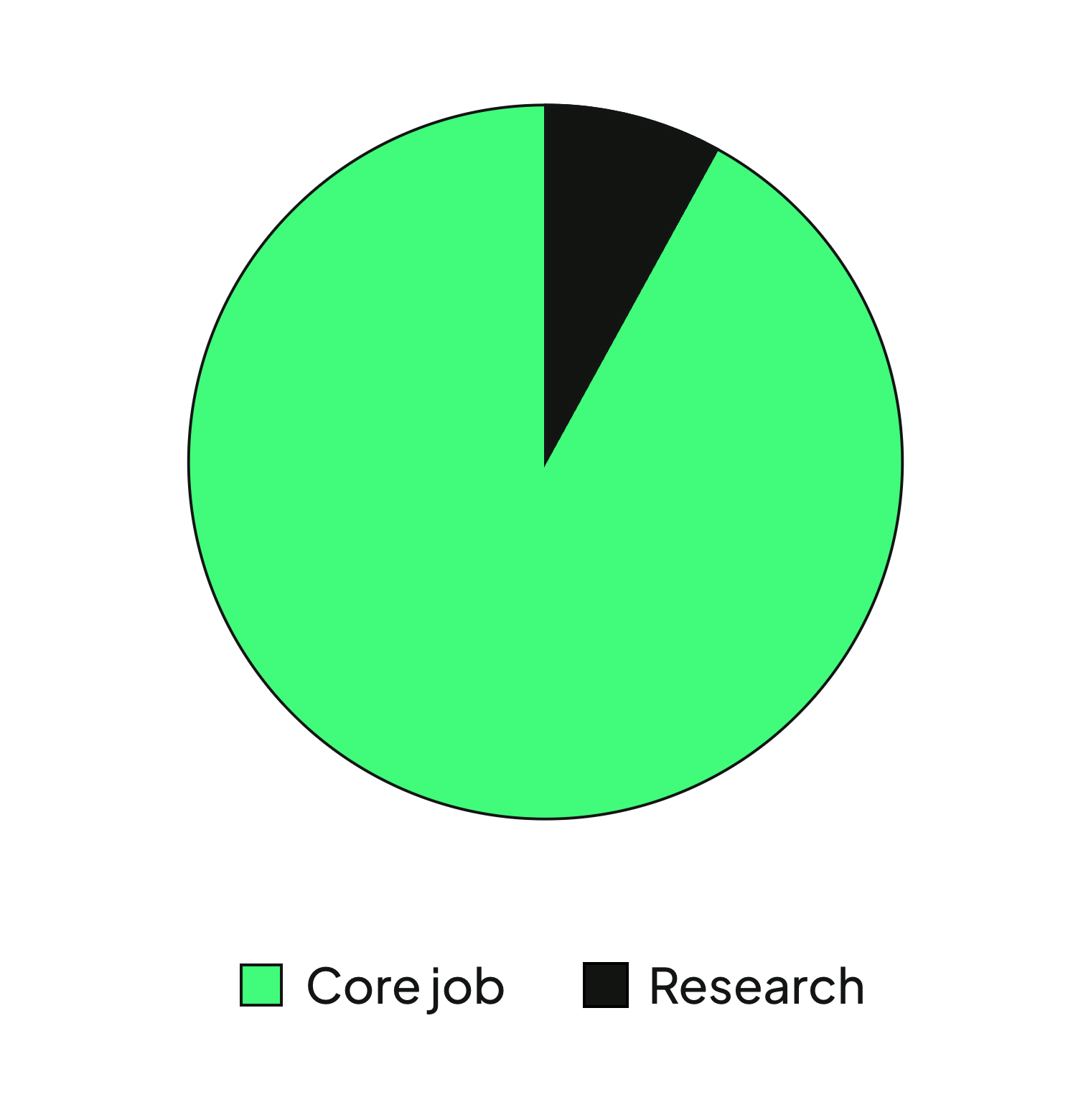
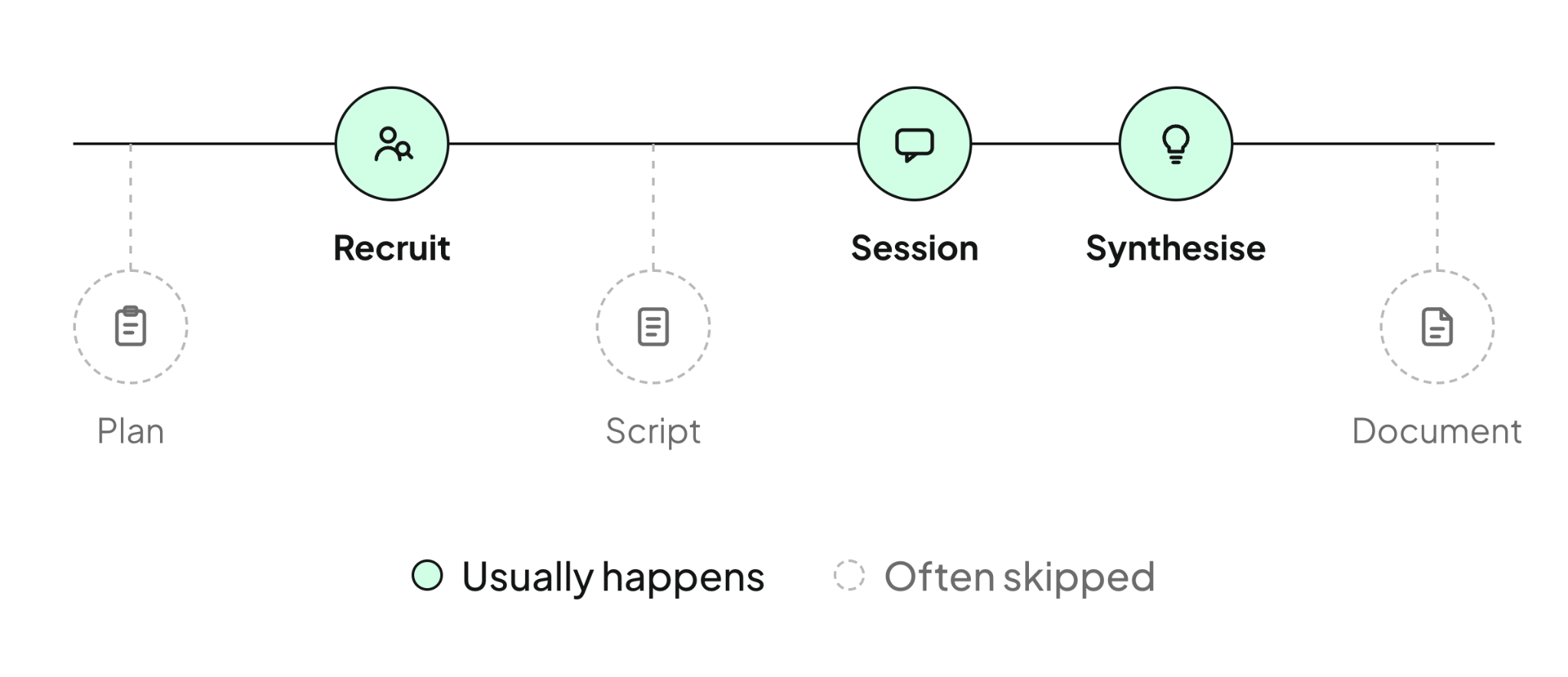
What does this look like in practice? With only a limited time to spend on research, something has to be traded off, and it's usually the steps that don't feel urgent at that moment. A proper research plan takes time to write, so it's often skipped in favour of just getting started. Recruitment happens quickly, without much room for in-depth screening, so participants tend to be whoever's available rather than a carefully chosen fit. The designer knows the prototype inside out and knows roughly what they want to ask, so a script feels like an extra step, and the plan stays in their head instead.
Sessions happen anyway, hopefully with roughly the right people. Documentation is where time also gets saved: insights get noted quickly in a Figma comment rather than written up properly, and six months later, when the same question resurfaces, nobody remembers where that insight went or that it existed at all.
This isn’t neglect. It’s what happens when research has to compete for time against a designer’s primary job, and sacrifice has to be made. When there isn’t time for proper research, something else usually steps in: a team member who's used the product themselves and genuinely believes their experience is representative, or a designer who's seen the same prototype so many times they've stopped noticing its problems.
Teams operating like this aren't failing, they're doing the best they can at a stage where a full-time research hire doesn't make sense yet, or where stakeholders feel that the designer’s ad-hoc research is “good enough for now”. This is exactly where an AI agent can help, provided it's set up and supervised properly.
Where an AI assistant can help
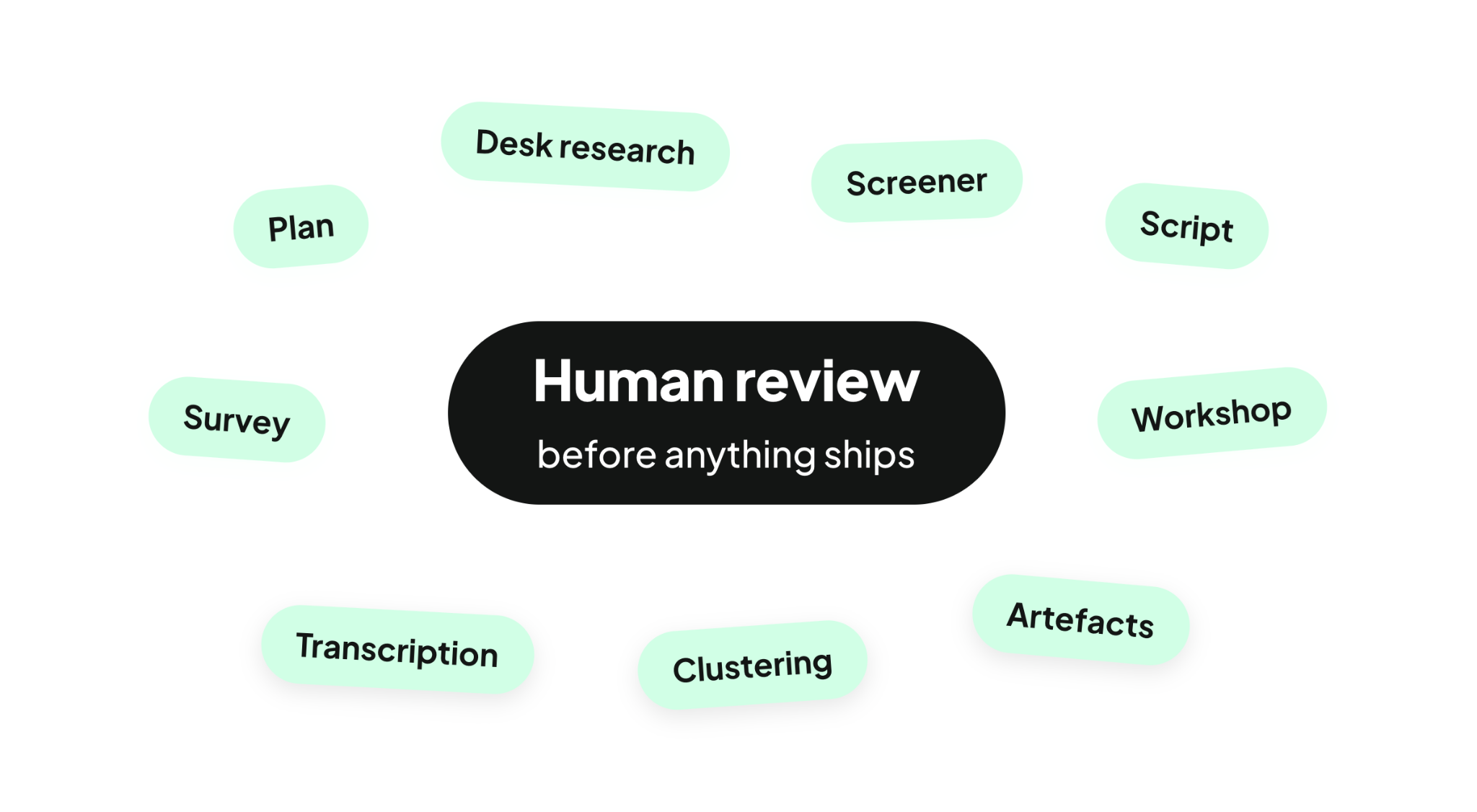
AI is best at recurring, well-defined tasks where you can clearly describe the input and quickly review the output. An AI assistant can't replace the work a UX researcher does, but when prompted well and given enough oversight, it can take real weight off a team that's currently doing research on the side. We collected some areas where we think AI can be useful.
Planning and preparation:
- Research plan and method selection: Give an AI model your UX research questions and goals, and it can draft a plan with suggested methods and a rough timeline. It's a solid starting point, but someone on the team needs to review it critically.
- Desk research: When you're stepping into an unfamiliar problem space, AI can pull together background reading in minutes that would otherwise take hours or even days. Treat it as orientation, not a conclusion.
- Screener drafts: AI can generate recruitment questions based on your target audience and research goals. The output is usually usable within minutes, but screeners require thinking carefully: A good screener is not only about who you're including but also who you’re excluding, a detail that still needs a human eye.
- Interview and usability test scripts: A well prompted AI model can produce structured scripts with sensible question types and logical flow, however scripts for usability tests may need more attention from the human side, especially around task wording and avoiding leading questions.
- Survey setup: AI can suggest question wording, scale selection, and ordering questions. However, designing a good survey requires judgement about wording, scales, and question order, so even if AI drafts it, someone needs to review it for all these nuances.
- Workshop preparation: From board templates to facilitation guides, and warm-up exercises to affinity mapping prompts. AI can set the stage quickly, even though a human still needs to run the room.
Processing and analysis:
- Transcription and session summaries: If you're not automating this already, this is something you can start easily right now. Accuracy is good enough for most use cases, and the time saved is significant, but small details can be missed by the agent.
- Theme clustering: An AI agent can read through twenty transcripts and surface recurring themes far faster than a person could. However, AI often tells you what was said, not what was meant, so treat the output as a hypothesis to check, not a finished finding.
- Creating artefacts: AI can turn themes and notes into polished-looking artefacts quickly: slide decks, journey maps, personas, even insight summaries. On the surface, these can look impressive, but they often stay at a generic level, miss the organisational context, or fail to connect findings to the actual decisions the team needs to make.
Why human oversight isn't optional
Everything above works under one condition: someone with enough research literacy reviewing the output, identifying where it's wrong, and stepping in when there is something the AI can't see. AI flattens nuance and optimises for pattern rather than meaning, and it has no way of knowing what it doesn't know. The human in the loop isn't a nice-to-have, it's the thing that makes the rest of this actually useful rather than just fast.
We also wrote an article on what we think about AI's broader role in UX research practices that you can check out if you want to go deeper in this topic. Ultimately, whether AI is a good fit for your team right now depends less on the tools themselves and more on whether someone can consistently provide oversight.
Is an AI-assisted setup right for your team right now?
Before starting to set up various AI agents, it's worth checking whether the timing actually fits. An AI-assisted setup tends to work well when:
- Your team wants to explore ideas and define goals and need help shaping the right questions before committing to a direction.
- Your research needs are mostly recurring and well-defined, meaning you're working within an existing product rather than exploring an entirely new space.
- At least one person on the team can critically review AI output. They don't need a research title, but they need enough literacy to notice when something feels off.
- A dedicated researcher hire isn't realistic yet, but there's a genuine commitment to doing research regularly rather than only when there's time left over.
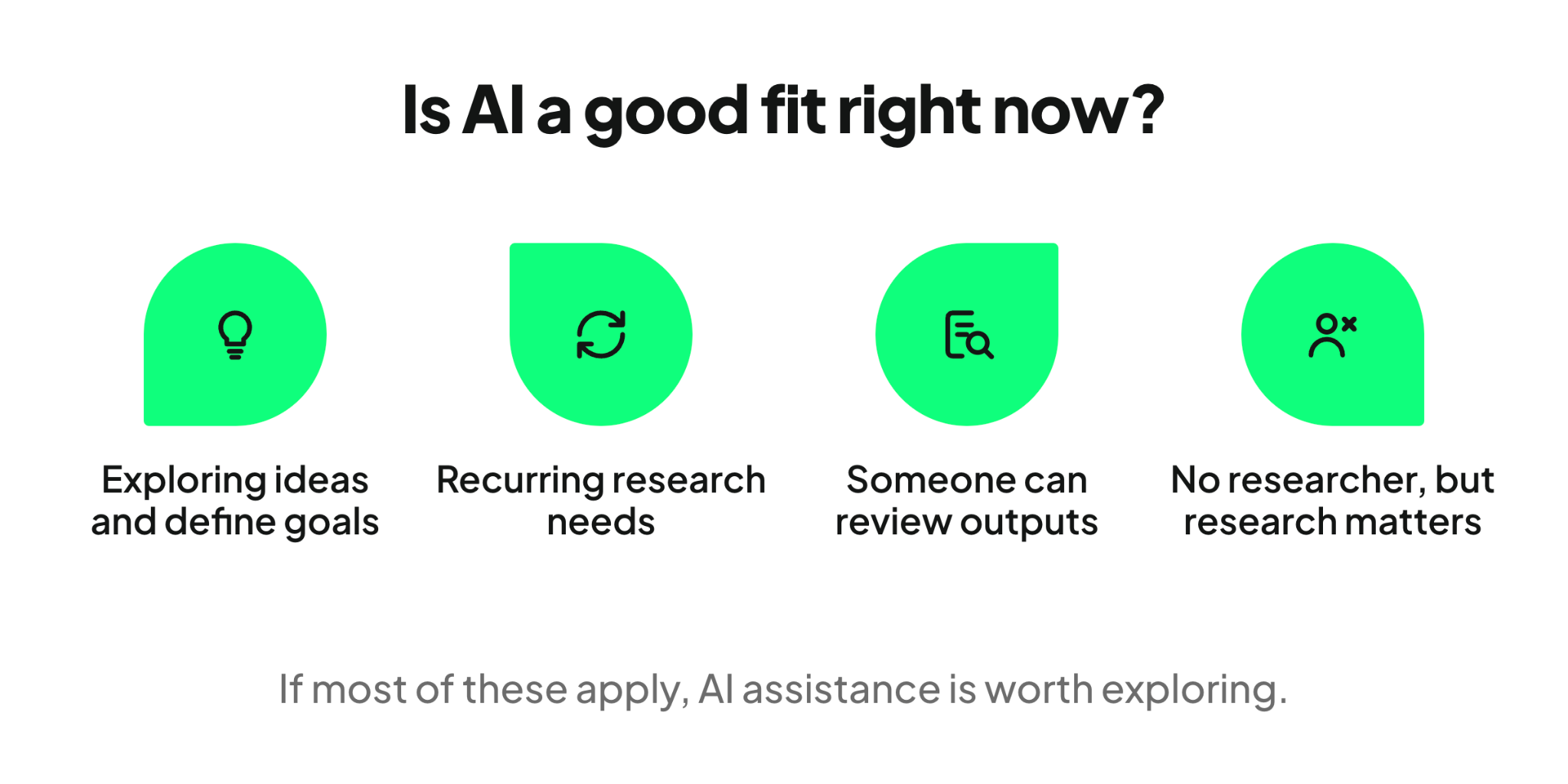
The question isn't whether an AI setup is perfect. It's whether it's better than the alternative your team is currently working with. If most of the above statements feel true, AI assistance is worth setting up as a meaningful improvement on your current reality.
Where AI still falls short
These are the moments where AI output looks right but actually misses what matters most, and recognising them is what tells you it's time to bring in a dedicated UX research professional. Here are a few examples of tasks where an AI agent may fall short.
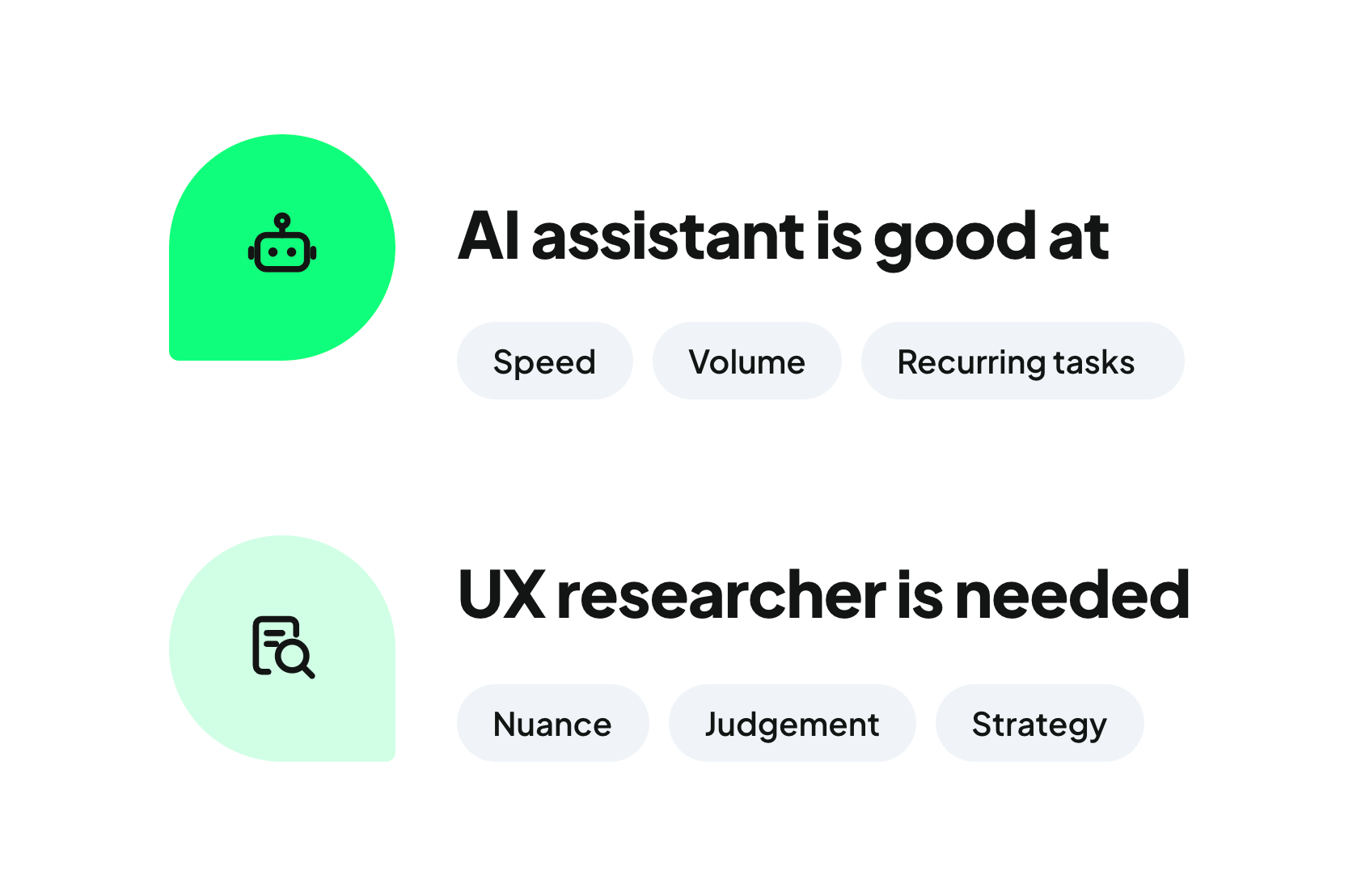
Reading between the lines
A participant says "yeah, this is fine" while clicking the wrong button three times in a row. AI reads the transcript and logs positive sentiment. In the same situation, a researcher watching the session would flag it as a critical usability failure, because the words and the behaviour are telling two different stories.
Spotting complex behavioural insight
AI can’t notice nonverbal clues and can’t read between the lines. Here's a real example: there is a usability test task where the participant has to use the search box. First they click into it, but then say that maybe the task should be completed differently. They roam around the website and then they get the same task with a simple change: the word they have to type into the box has simple spelling while the original word was somewhat complicated. An AI agent – or even someone who doesn’t notice the miniscule hesitation after the participant clicks into the search box – flags a problem with the usability in the search process. A trained human UX researcher watching the same session notices the workaround, and recognises what really happened, and marks that the search process worked. Same session, completely different insight.
Conducting truly exploratory research
When you don't yet know what you're looking for, AI can be the wrong tool. It optimises for known patterns and surfaces what already matches something it's seen before and may look less for ambiguity or unexpected findings. Truly exploratory research doesn't start with a hypothesis to confirm, it starts from a genuine "I don't know" and stays open to being surprised by whatever turns up.
That openness, actively looking for what contradicts expectations rather than only what confirms them, is a trained skill, not a default human one. Left unchecked, most people (and AI model) gravitate towards confirming what they already believe. So the real distinction isn't AI versus human, it's AI and an untrained human on one side, and a trained UX researcher on the other.
Cross-project synthesis and strategic framing
There are patterns that only become visible across several projects, set apart by months, sometimes years. There may be recurring friction that keeps resurfacing in different forms across different products. Connecting those dots requires remembering how past projects played out and understanding what the pattern actually means, something that can't be pulled from a single data set.
The same goes for deciding what to research, why now, and how findings should connect to business decisions. That's not a task you should hand off to AI, as it requires a deeper understanding of the organisation, the stakeholders, and the questions nobody's asking yet.
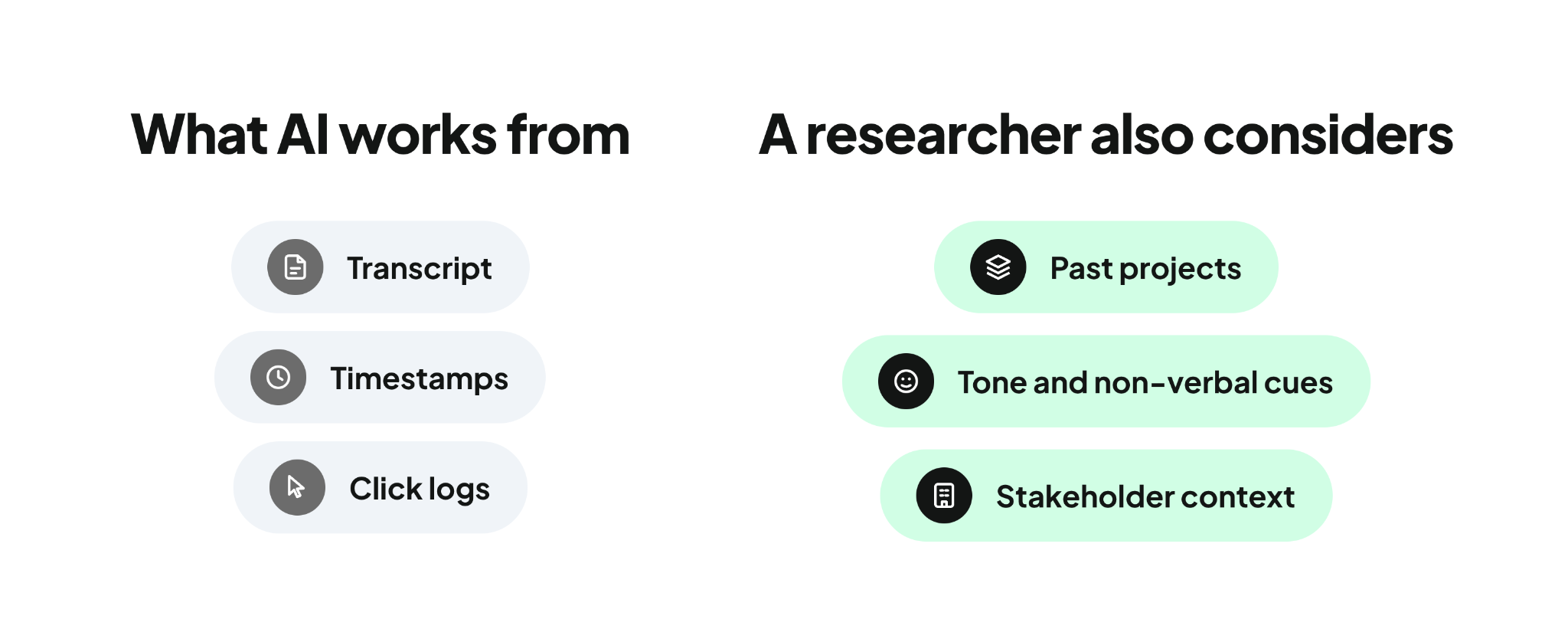
How layered AI supported research setup can work
The most effective setups we've seen aren't AI-only or human-only, they're layered. AI handles the defined, recurring, high-volume work: the tasks with a clear input and a reviewable output. A human on the team, whether that's a designer, a PM, or whoever currently carries research responsibility, reviews that output, redirects where needed, and makes the calls that require judgement. For the moments that are genuinely complex, expert UX research support comes in.
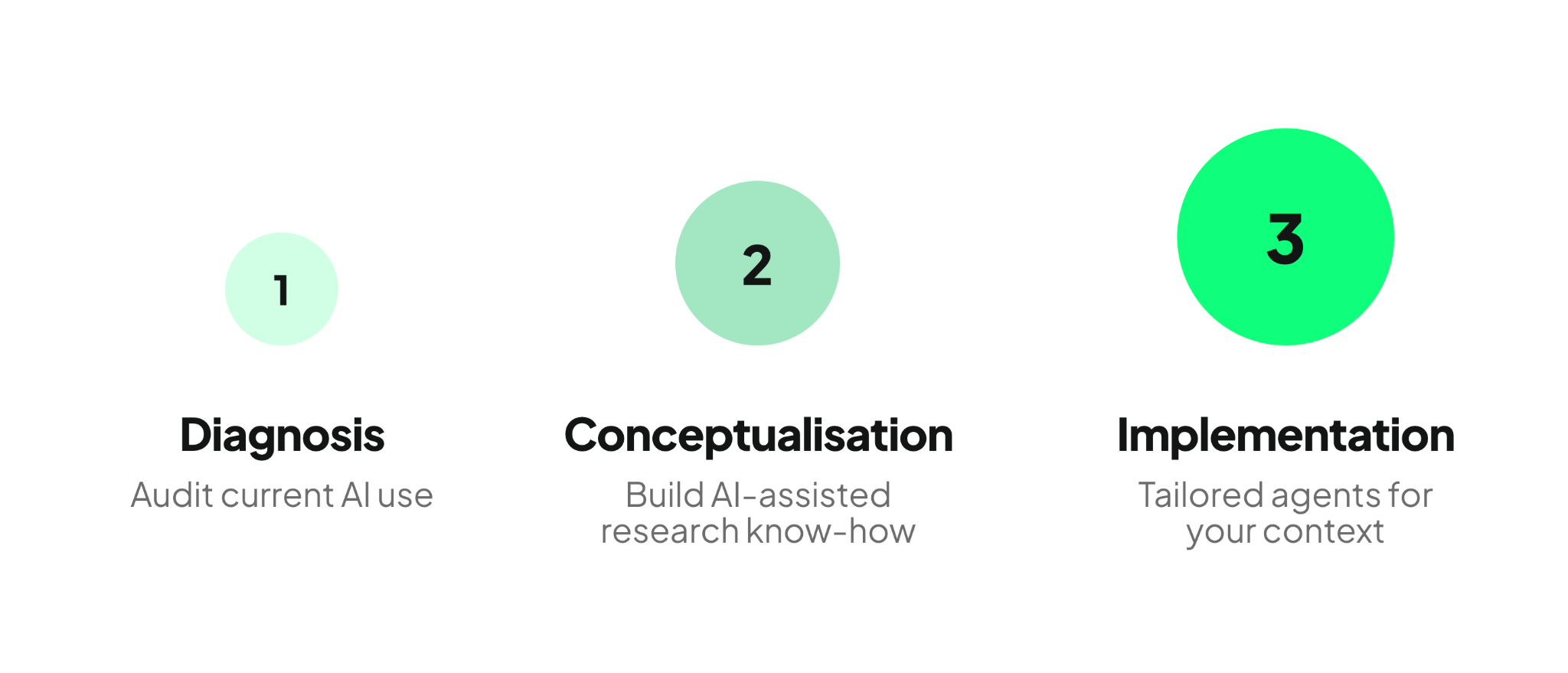
In practice, that might look like a designer using AI day-to-day, with an agency stepping in when the stakes are higher. We usually support teams on three AI-focused levels:
- Diagnosis: We review how AI is currently used in your UX research work, audit existing setups and outputs, and map out your system as it actually operates today. You get a clear report on what’s working, where the risks are, and concrete recommendations on how to use AI more effectively and safely.
- Conceptualisation: We help your team gain hands-on experience in AI-assisted research: how to create good prompts for UX research tasks, guidance on when to use AI versus when not to, and providing templates or workflows that fit your product and team structure.
- Implementation: We design and build tailored agents or skills for your specific context, so AI isn’t just a generic tool but something that reflects your product, your users, and your research maturity, and can reliably handle recurring work.
Beyond these AI-specific tiers, there are also situations where deeper research involvement makes more sense. In those cases, we focus less on configuring agents and more on bringing in human research depth:
- Expert support for the calls AI can't make: Our research team can step in for specific studies or whenever there's a decision on the table the team can't afford to get wrong, bringing the depth and independence an AI agent isn't built for.
- Embedded researcher for ongoing strategic input: A researcher becomes a permanent part of the team, not just stepping in occasionally but constantly supporting the product's evolution and the strategic decisions behind it, well beyond what an agent reviewing outputs can offer.
How to decide what your team needs
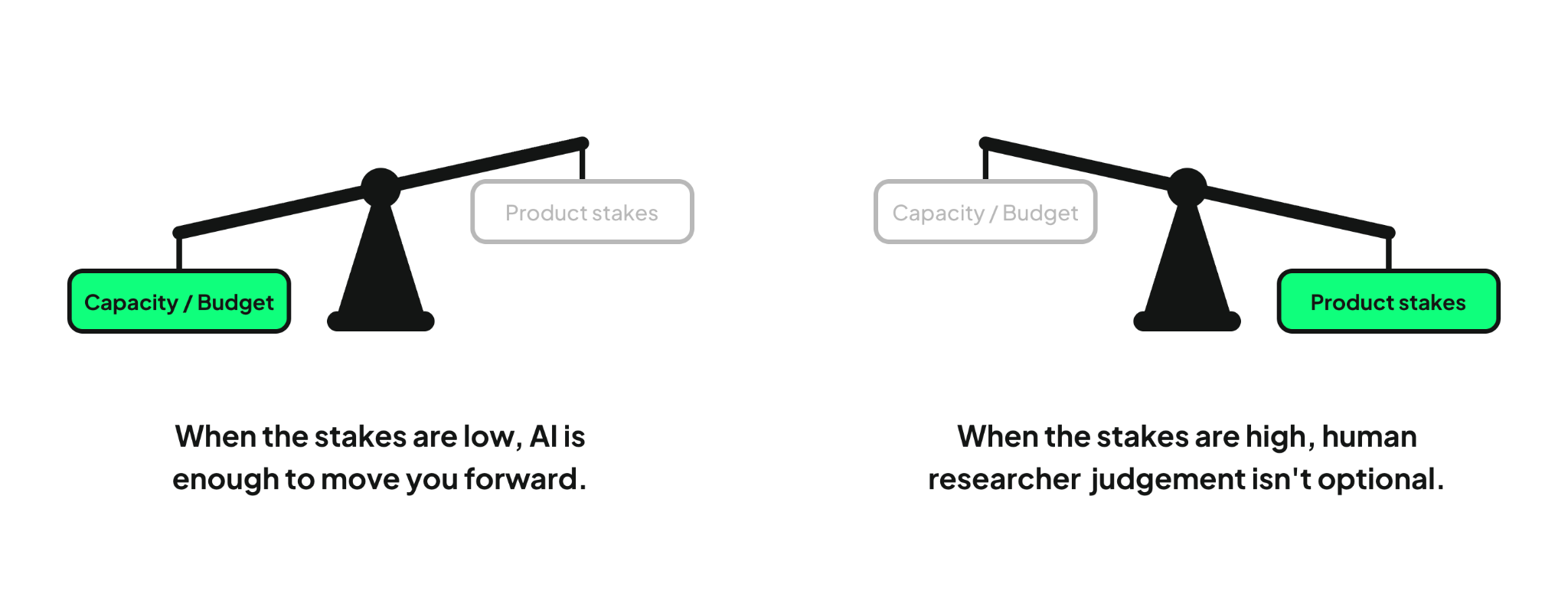
The right setup depends on where your team actually is right now, not where another team is, and not where you plan to be in two years. Two honest questions are worth asking before you decide anything.
What can your team realistically sustain?
If a dedicated UX researcher isn't in the budget, an AI agent used consistently and critically is a genuine step forward, and it's better than guessing or doing nothing. Done well, it also builds research muscle that makes an eventual researcher hire more effective from day one.
What does your product actually need?
If you're entering a new market, if users are dropping off and nobody knows why, if a major decision is on the table and the team is going in circles, that's not an AI moment. That's when the cost of getting it wrong outweighs the cost of doing it properly, and human judgement becomes the less expensive option.
Curious what an AI-assisted research setup could look like for your team? Get in touch, and we'll help you figure out where to start.