Choosing SaaS onboarding models and flows: a guide for product managers

Your onboarding flow is the first real test of whether users will stay. SaaS users now expect good onboarding as standard, and if your product doesn’t show its value early, you risk losing them within the first few weeks.
The gap between signing up and getting value is where users decide whether to stick around. Onboarding shapes first impressions, drives activation and has a direct effect on long-term retention.
This post is a practical guide to SaaS onboarding models and UX flows: what each one is and when to use it.
What are onboarding models vs. flows?
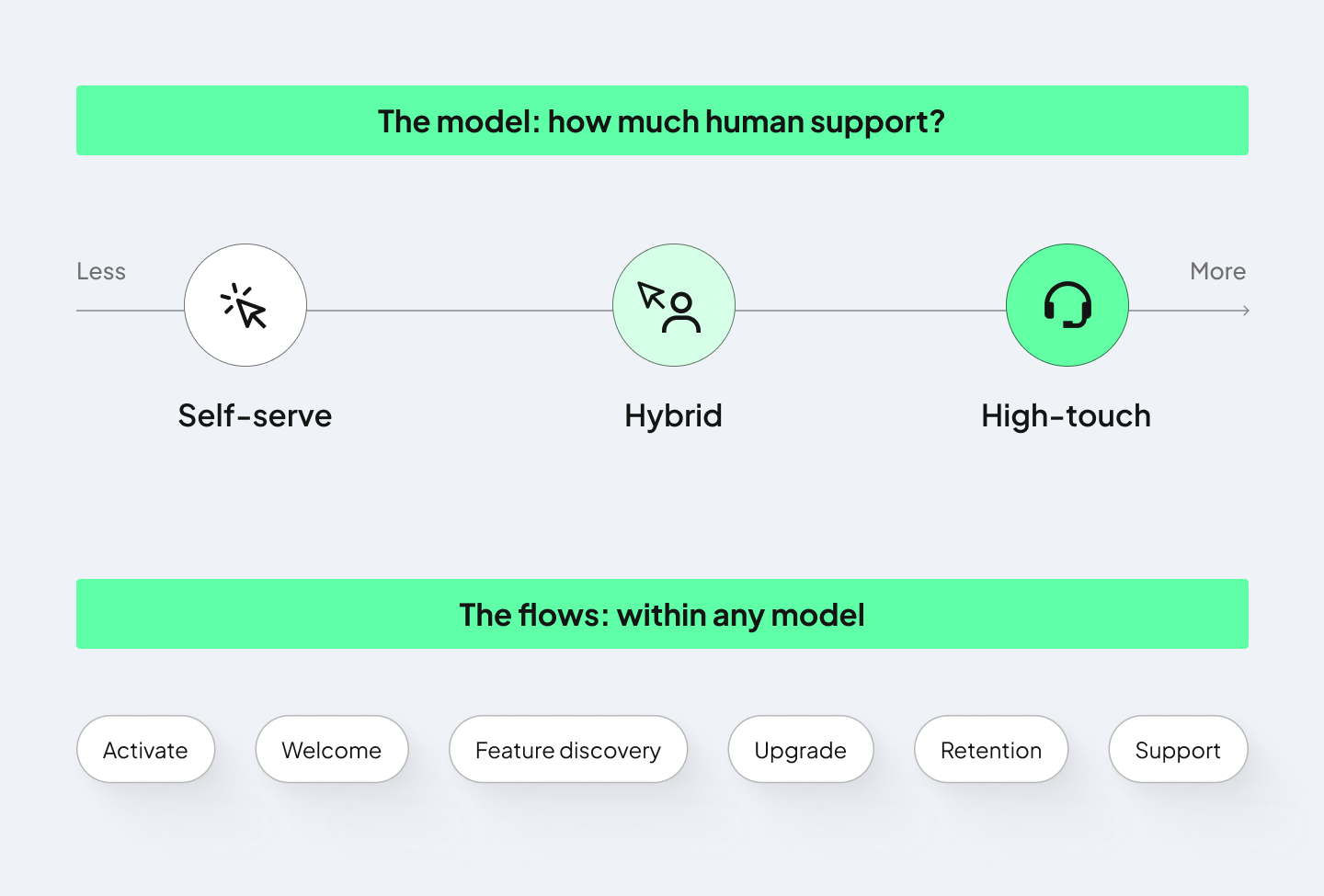
Before choosing any pattern or tool, you need to make two separate decisions: which onboarding model you’ll operate under, and which flows you design within it.
The model answers one question: how much human involvement does it take to get users to value? It shapes your cost structure, team requirements, and scaling approach. The flows you design within that model determine how users move toward value. These include activation, welcome, feature discovery, upgrade, retention, and support flows.
3 main onboarding models for SaaS products
SaaS products generally follow one of three models. In a self-serve model, users explore the product on their own. In a high-touch model, customer success managers (CSMs) guide them personally. Hybrid models combine automated guidance with human support where it matters most.
1. Self-Serve Model
Self-serve models let users learn the product largely on their own (no live support), supported by clear UX and in-app guidance and documentation.
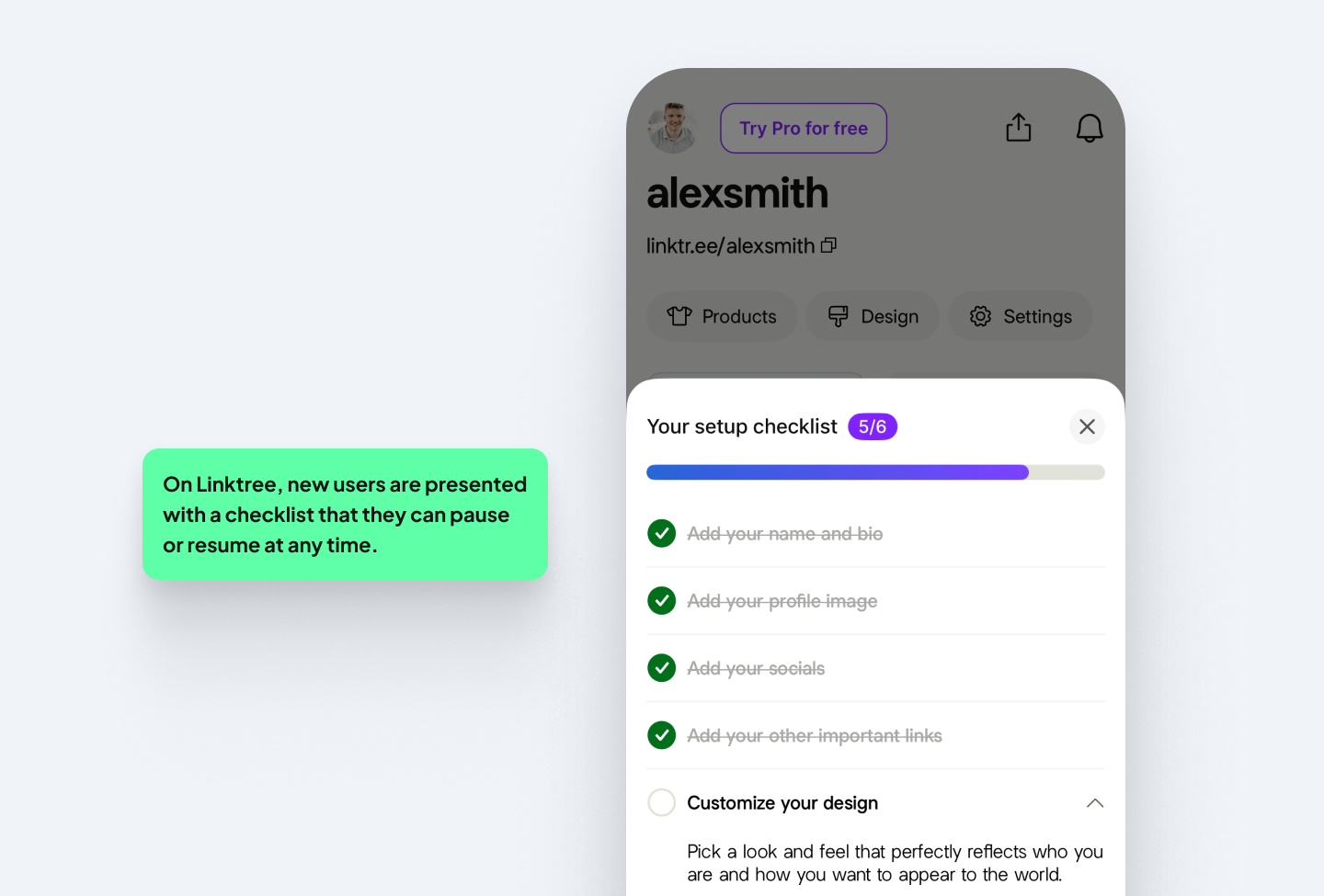
Picture a project management app. A project manager signs up, takes a quick dashboard tour and follows a checklist to create their first project. Within a few minutes, they’ve reached their first moment of value. With behavioral triggers, for example, if a user imports contacts but doesn’t add a lead, a tooltip nudges them. If they add a lead but don’t send an email, a new checklist item appears.
When to use it:
Self-serve works best for simpler, high-volume products: freemium tools, products with a repeatable core workflow, and anything a new user can understand within 30 seconds. It scales well since the same team can support 10,000 users as easily as 1,000.
But, the risk is “silent churn”. If the UX is unclear or the value isn’t obvious, users get stuck and leave without telling you why. Your job is to make the product teach itself. Treat every point where a user might stall, such as the first login, the first key action or an unfamiliar feature, as a design problem to solve.
2. High-Touch (Full-Service) Model
In a high-touch model, a CSM (Customer Success Manager) guides every step through personalized setup, live demos, onboarding calls and a managed success plan.
Take an enterprise HR platform. The CSM handles the payroll integration, sets up role permissions for hundreds of employees, trains HR staff on compliance workflows and checks in weekly during the first month.
When to use it:
High-touch onboarding is great for complexity: enterprise products with a high annual contract value (ACV), multiple stakeholders across IT, finance and ops, and workflows that depend on each customer’s own systems and data. Done well, it lowers churn and speeds up expansion, but the tradeoff is scale. Every account needs a CSM, the cost per account is high, and when a CSM leaves, the customer relationship can be affected too.
If your company uses this model, your job is to design the handoff. Where does the in-app flow end and the CSM take over? What does the user need to have done before that first call? Your flows need to take care of these.
3. Hybrid Model
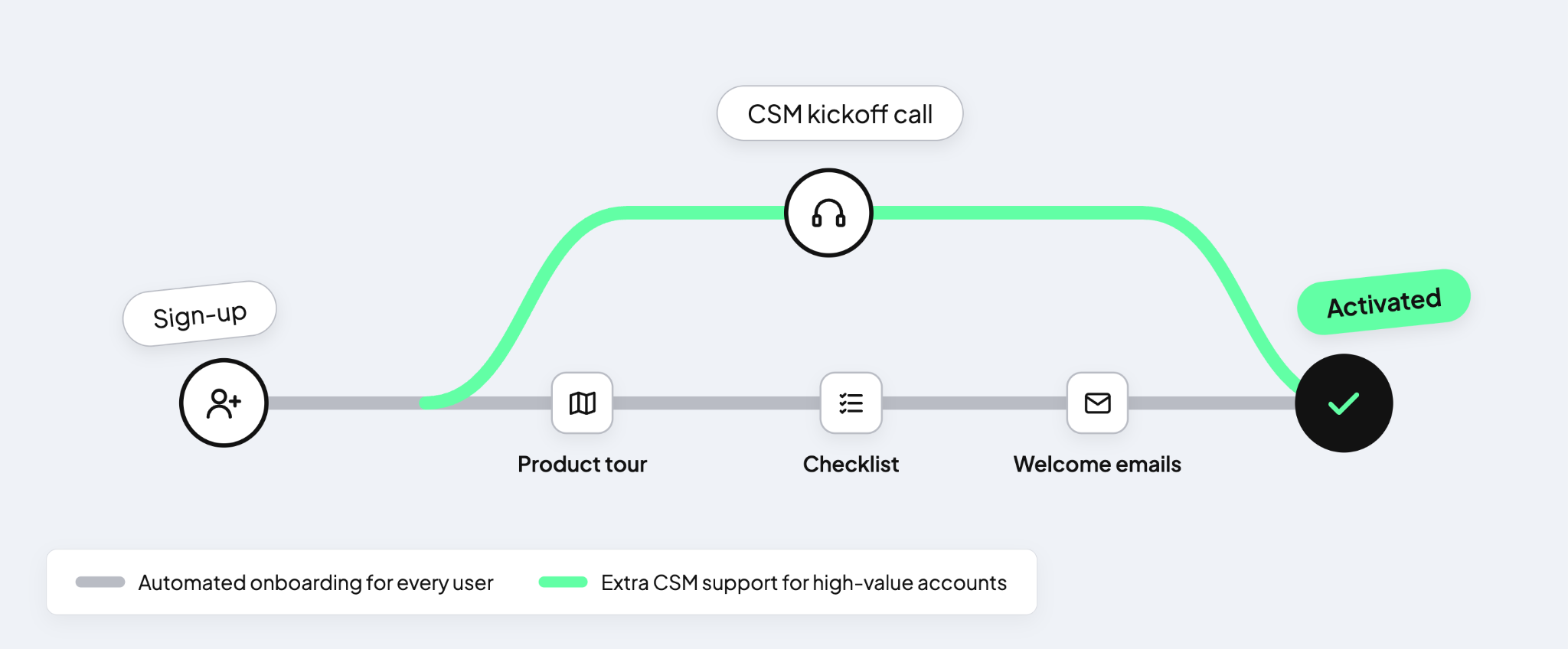
A hybrid model uses automated flows for most users and reserves human support for high-value accounts or critical moments. It balances scale with personalization and puts your support budget where it creates the most value.
An example is a marketing platform that may give small-to-medium business customers a product tour, a “set up your first campaign” checklist and automated emails. Accounts that pass a spend threshold or request an integration are escalated to a CSM for a kickoff call.
When to use it:
A hybrid onboarding model is for you if you have a growing SaaS product with diverse user segments or if your company is moving from self-serve into enterprise sales. Think of Figma: it’s a design tool used in very different contexts, from design agencies to freelancers to students. Products like these often serve a large volume of smaller accounts alongside a few high-value ones.
The hard part is the routing logic: setting the right thresholds by spend, complexity or behavior, and making sure high-value accounts don’t end up in a self-serve flow that won’t work for them. Your job is to define those triggers and design both paths, plus the transition between them.
Choosing the right model
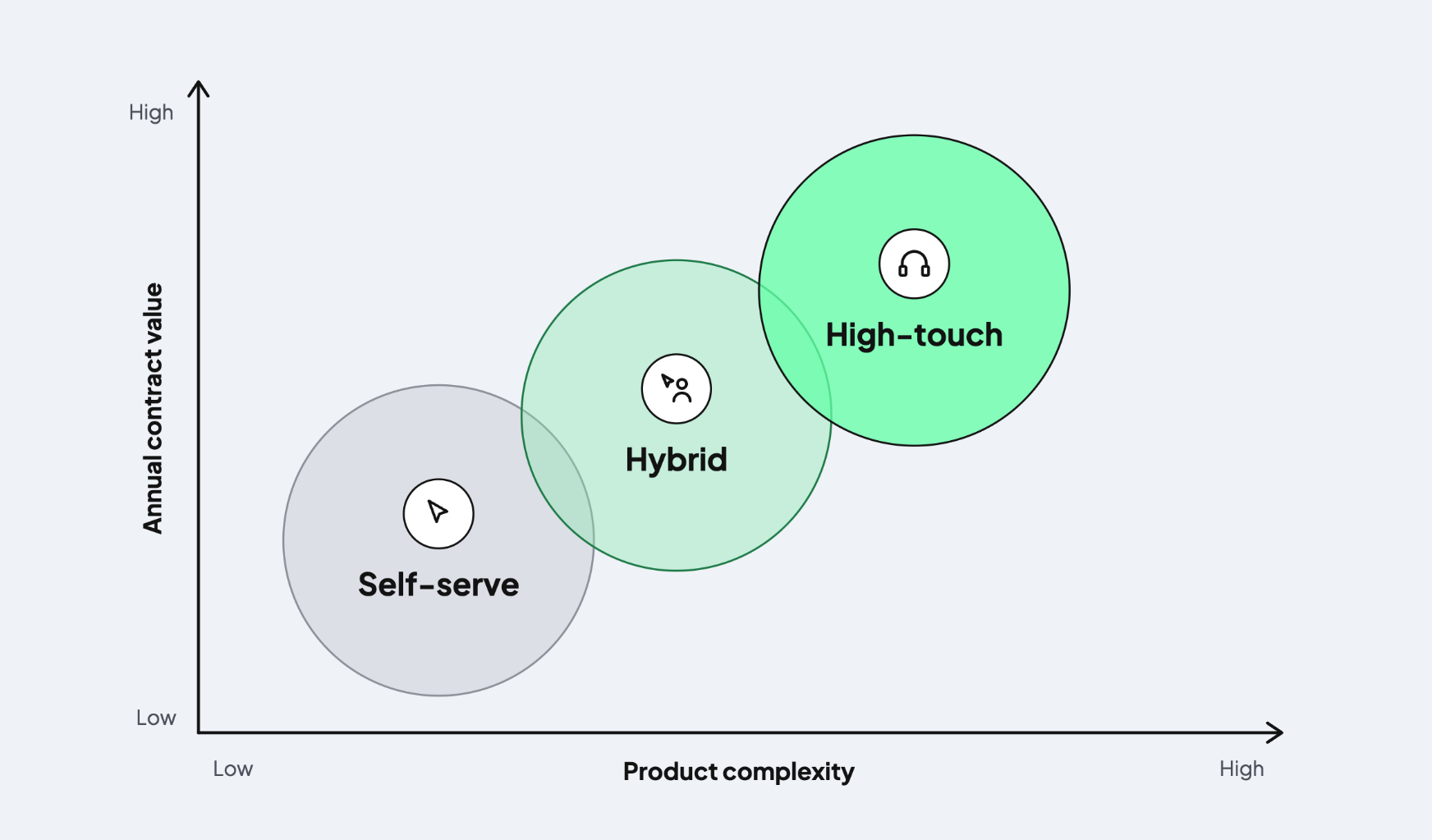
The right model depends on four things: how complex your product is, what users pay, who your users are, and how much support capacity your team has. A simple product with a low annual contract value and lots of sign-ups is a good fit for self-serve. An enterprise product with a high contract value, several stakeholders and a complex setup, on the other hand, works well with high-touch onboarding.
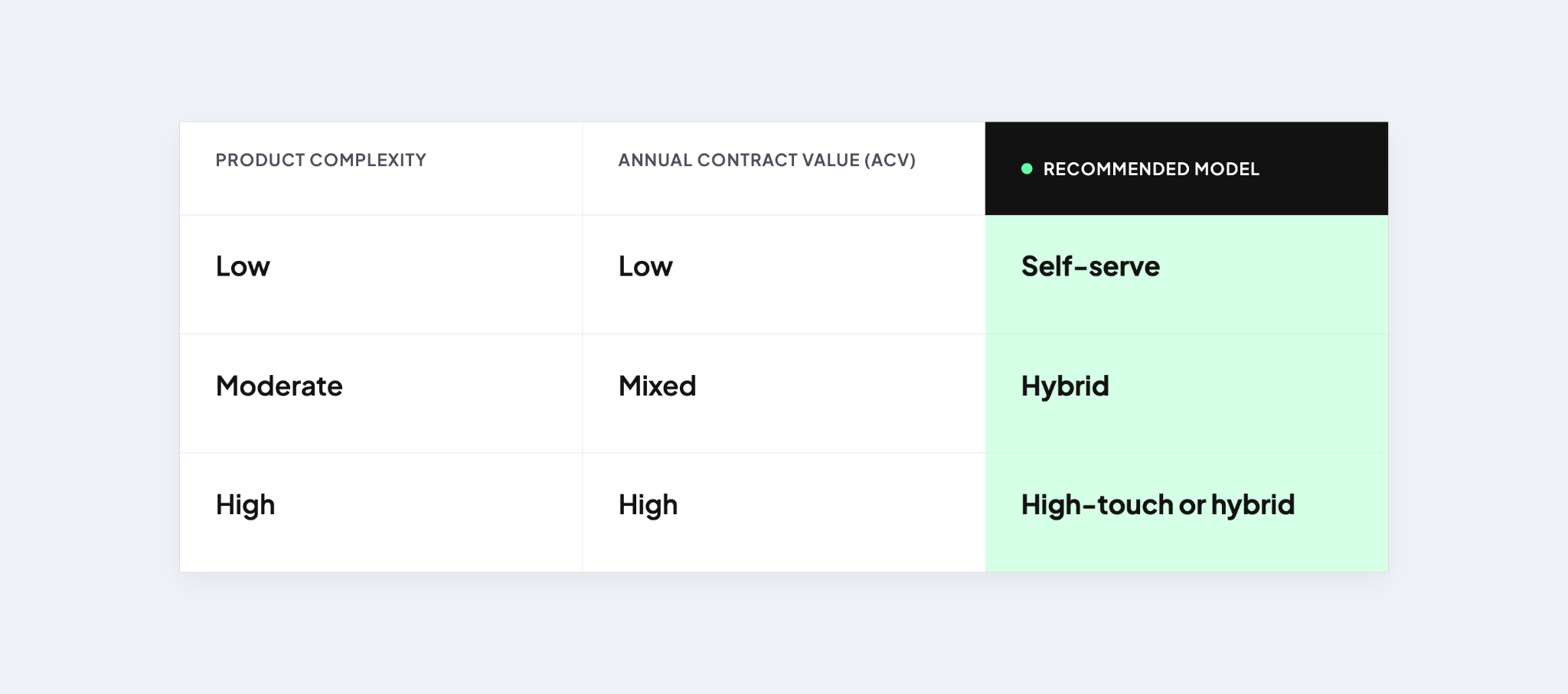
Product complexity and contract value are a good starting point for choosing a model, though your users and team capacity may shift the answer.If you’re unsure, start simple with self-serve and automated flows, then measure activation and support volume. If one part of your onboarding consistently sees drop-off or needs lots of support, add human touchpoints for that group of users.
Implementation tips across onboarding models
A few principles apply to whichever model you choose.
Signup and first session. Keep signup fields to a minimum and offer OAuth options, such as signing up with a Google account. Use the first screen to show what success looks like, and hold back advanced features until users have reached their first moment of value.
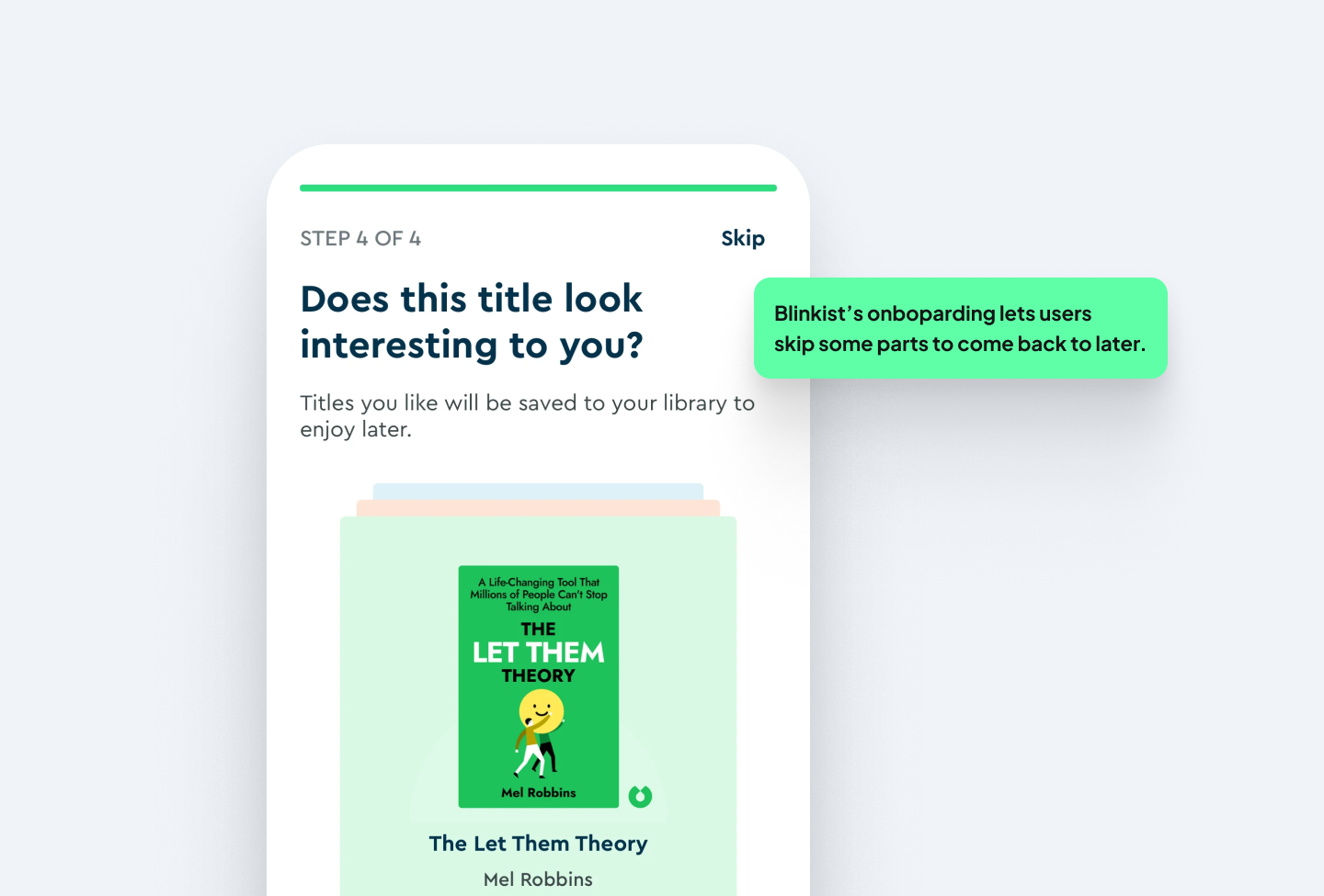
Tours and flows. Make every tour skippable and resumable. Also, support them with contextual help and searchable docs. Then A/B test tour length, placement and message timing to see what improves user activation.
Segmentation and routing. Segment users by annual contract value (ACV) and product complexity before deciding who gets which support path. Track activation, expansion and cost-to-serve per segment, since aggregate numbers won't clearly show where each model works.
Lastly, track your success. Define what success looks like at 30, 60 and 90 days before you launch. Then keep an eye on milestones like time to live deployment, renewal rate, customer satisfaction score (CSAT) and time to return on investment (ROI) in your CRM.
The 6 Core Onboarding Flows
Your onboarding model decides who supports the user. The flows, on the other hand, are the journeys that you design, test and iterate on within that model. These include activation, welcome and segmentation, feature discovery, upgrade and conversion, retention, and support and feedback.
The most effective flows have a few things in common. They're intuitive, keep complexity low, deliver value early, and give users a smooth path toward understanding the full product.
Not every flow needs the same attention from day one. For example, activation is pretty important for every product, and upgrade and conversion is necessary if you offer a free plan or trial. Retention is needed for any subscription product. As your product grows in complexity, feature discovery and support flows will need to be defined or expanded upon.
Flow 1: Activation (Sign-up → Time-to-First-Value)
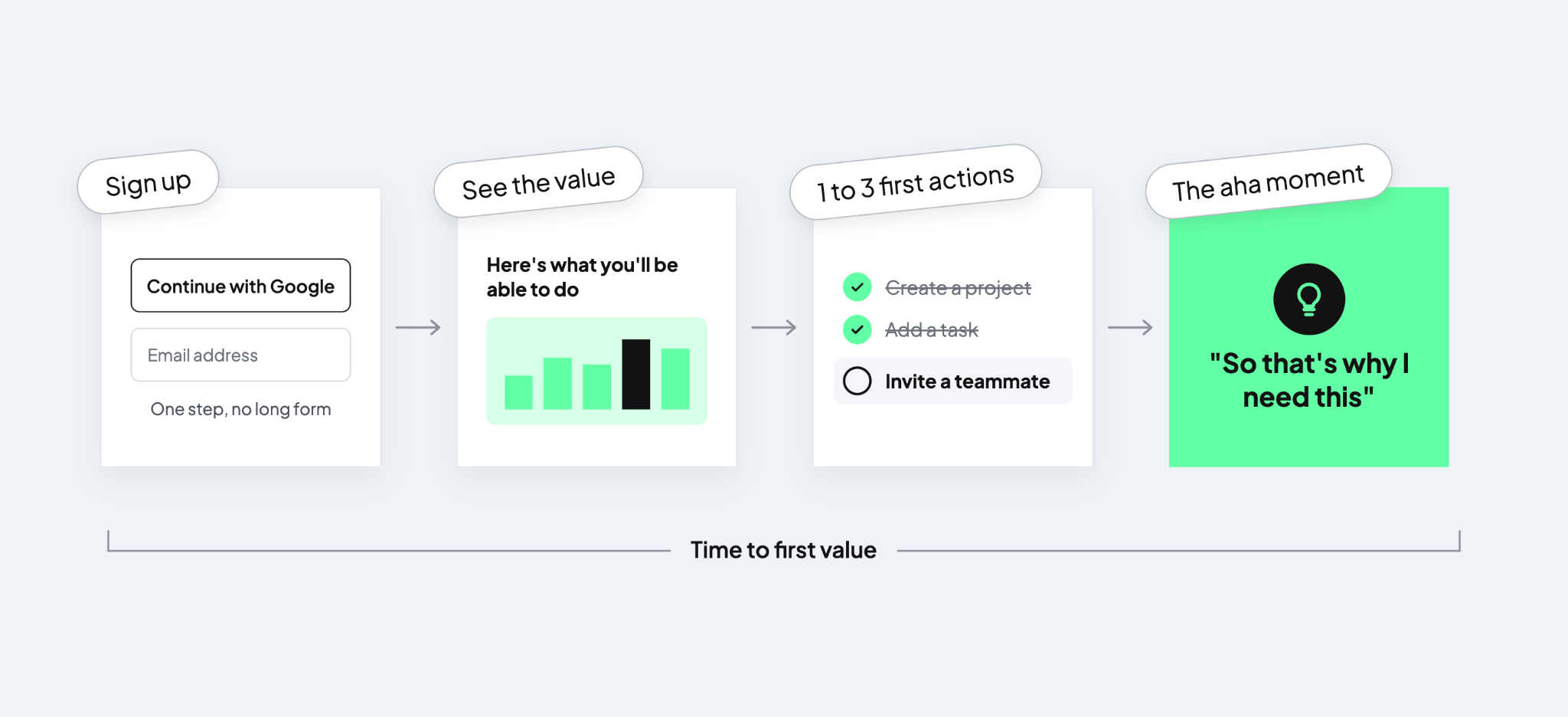
Activation turns new sign-ups into engaged users by getting them to their first ‘aha’ moment (the point where they understand why your product matters to them). Every product needs this flow, but it's especially important for self-serve and freemium models. If you don’t have a customer success manager (CSM) to help stuck users, activation is your number one flow.
Ask only for what you need at signup, with social or OAuth options (e.g. Continue with Google) and frictionless verification. The first screen should make the value clear, then guide users to the one to three actions that represent their first success. Behavioral triggers (if a user does X, show Y) encourage exploration, while progressive disclosure keeps advanced features out of the way until later.
Common patterns include short product tours of three to five steps focused on one outcome, tooltips and contextual modals, and a welcome email (within 5 minutes of sign-up).If setup requires configuration, a wizard works well too.
What to track:
- Time-to-first-value
- Activation rate
- Onboarding abandonment
- Free-to-paid conversion
As a benchmark, aim for time-to-first-value under 10 minutes for simple products (under 30 for complex ones), an activation rate of 40 to 60% for self-serve (70 to 90% for high-touch), and abandonment below 20%.
Flow 2: Welcome + Segmentation
A welcome flow gathers context about each new user and routes them into a personalized experience. It's most useful in products with multiple roles or goals. If your product serves both marketers and engineers, each group should get a different onboarding. In a hybrid model, segmentation also tells you who needs to get a CSM call.
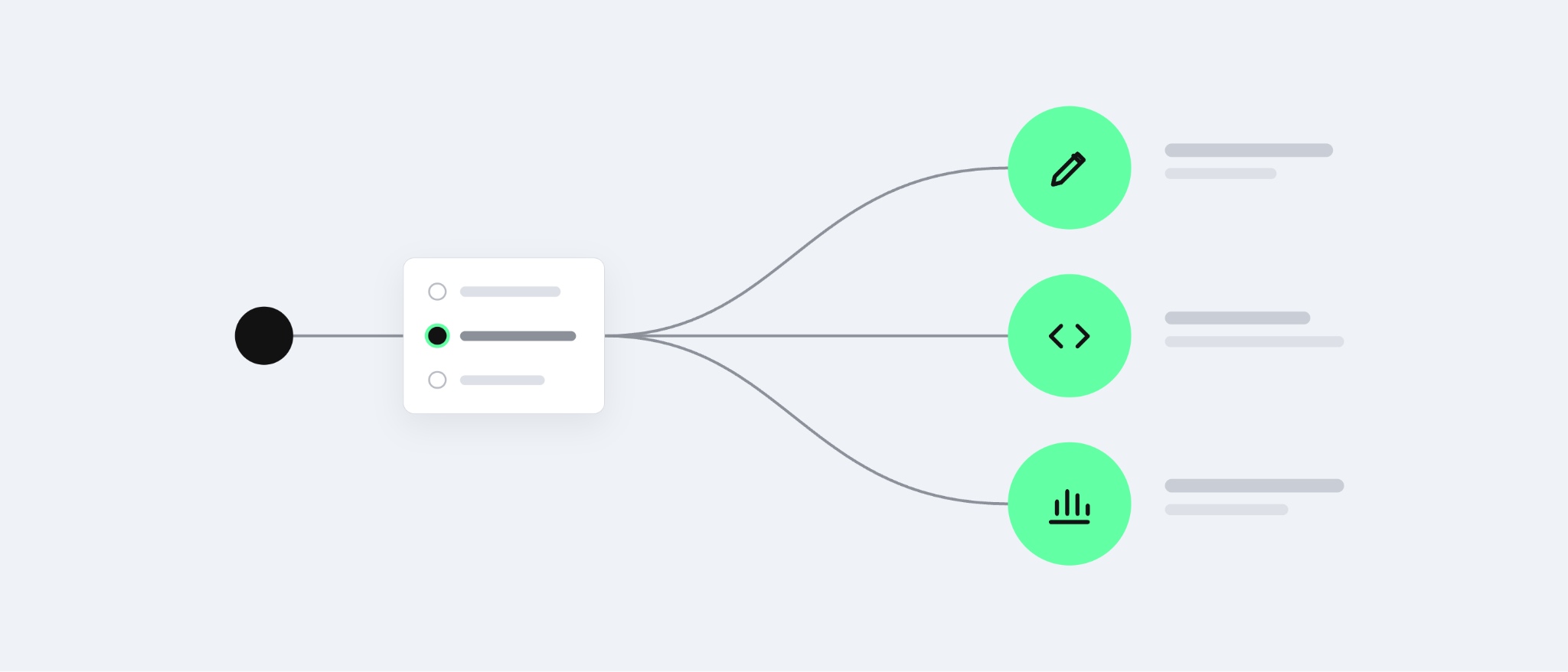
Keep the welcome short, with one to three questions about intent or role, such as “What will you use it for?” or “What's your role?”. Ask them inline on the first screen and keep them optional. Progressive surveys that ask one question at a time and adaptive tours that change based on the answers work well here. Loom does this well, as we showed in our SaaS onboarding examples.
What to track:
- Activation rate and NPS (Net Promoter Score) by persona: how likely someone is to recommend the product overall.
- The percentage of users routed to high-touch support in hybrid models
- Persona-based NPS is consistent (no one persona is significantly worse)
A good flow looks like 60 to 80% of users answering the questions and segmented activation 15 to 20% higher than unsegmented.
Flow 3: Feature Discovery
Feature discovery helps users find and adopt high-value features over time. They work well when the interface itself needs explaining, like in dashboards with many moving parts or anything where the value isn't obvious without a walkthrough.
The goal is to surface the features that keep users coming back. If 10 of your 50 features drive retention, then just focus on those 10. Don’t spam users with all your features at once! Show each one when the user is ready for it, triggered by a relevant moment in the product.
Not sure which features to pick? Prioritize features tied to retention and revenue.
Patterns to use:
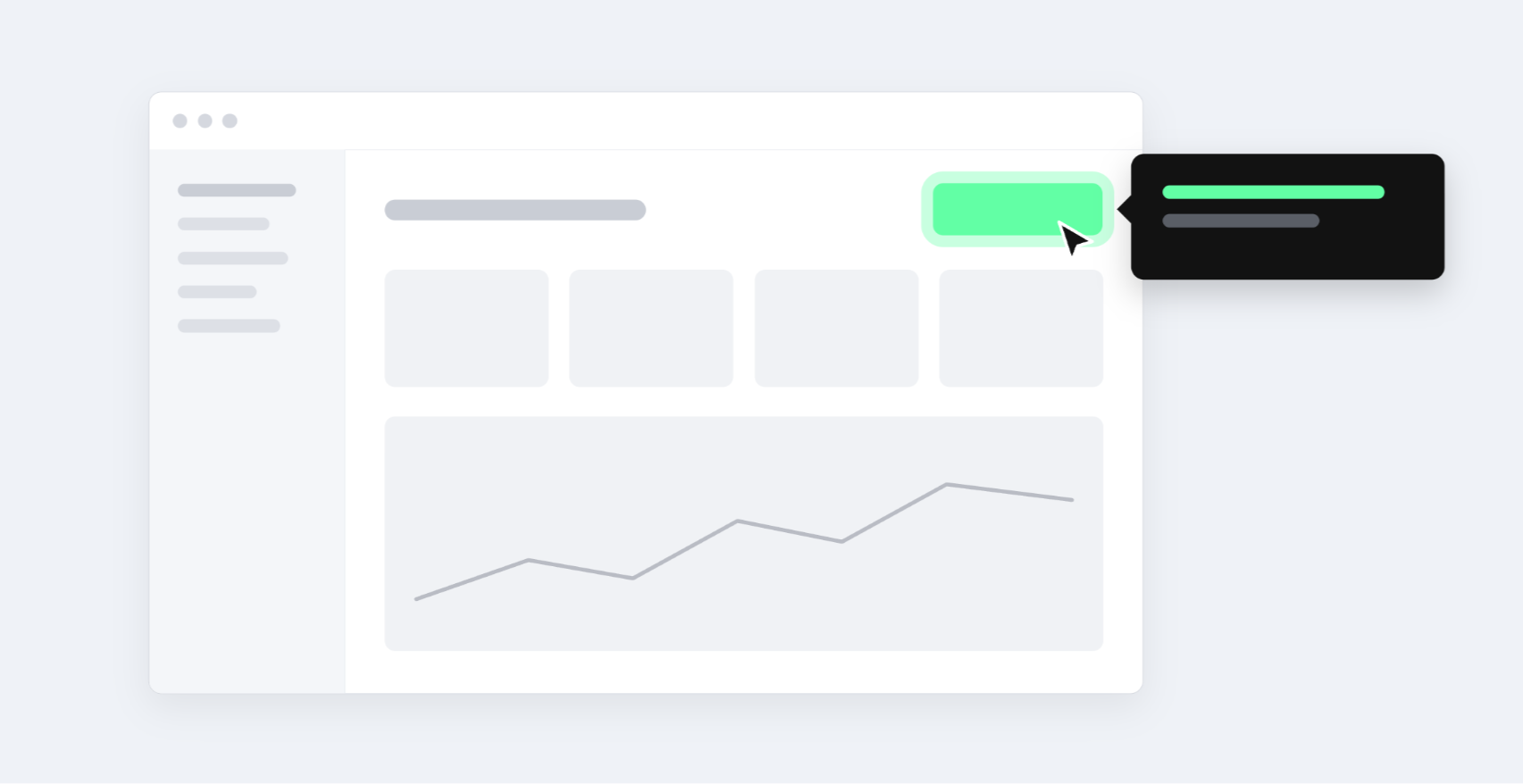
- Contextual tooltips (hint on a button when user hovers)
- Micro-learning cards (small cards with tips or examples)
- Short videos (30–60 seconds, embedded in-app)
- In-app recommendations ("You might also want to try X")
- Checklists (tasks like "Try feature X to save time")
What to track
- Feature adoption rate
- Which features correlate with long-term usage/frequency of use after discovery
- Retention lift for users who adopt a feature compared to those who don't
Good adoption rates sit at 30 to 50% for core features and 15 to 30% for secondary ones. Users who adopt core features typically show 20 to 40% higher retention.
Flow 4: Upgrade and Conversion
This flow turns free or trial users into paying customers, and it's where a strong activation flow pays off in revenue. The upgrade prompt should feel like a natural next step for the user, without the tone of a sales pitch.
Plus, this is where you make money! If your activation flow is great but your upgrade flow is weak, you risk losing revenue. The most common mistakes are prompting before users have reached value, showing pricing without explaining why they should upgrade, and adding too many steps between the decision and the payment.
Patterns to use:
- In-app banners (non-intrusive, top of screen)
- Modal prompts (when user hits a limit)
- Targeted emails ("You've used X feature 20 times—unlock more with Pro")
- Pricing calculators (show ROI: "You'll save $X/month with Pro")
- Personalized offers (discounts for first 3 months)
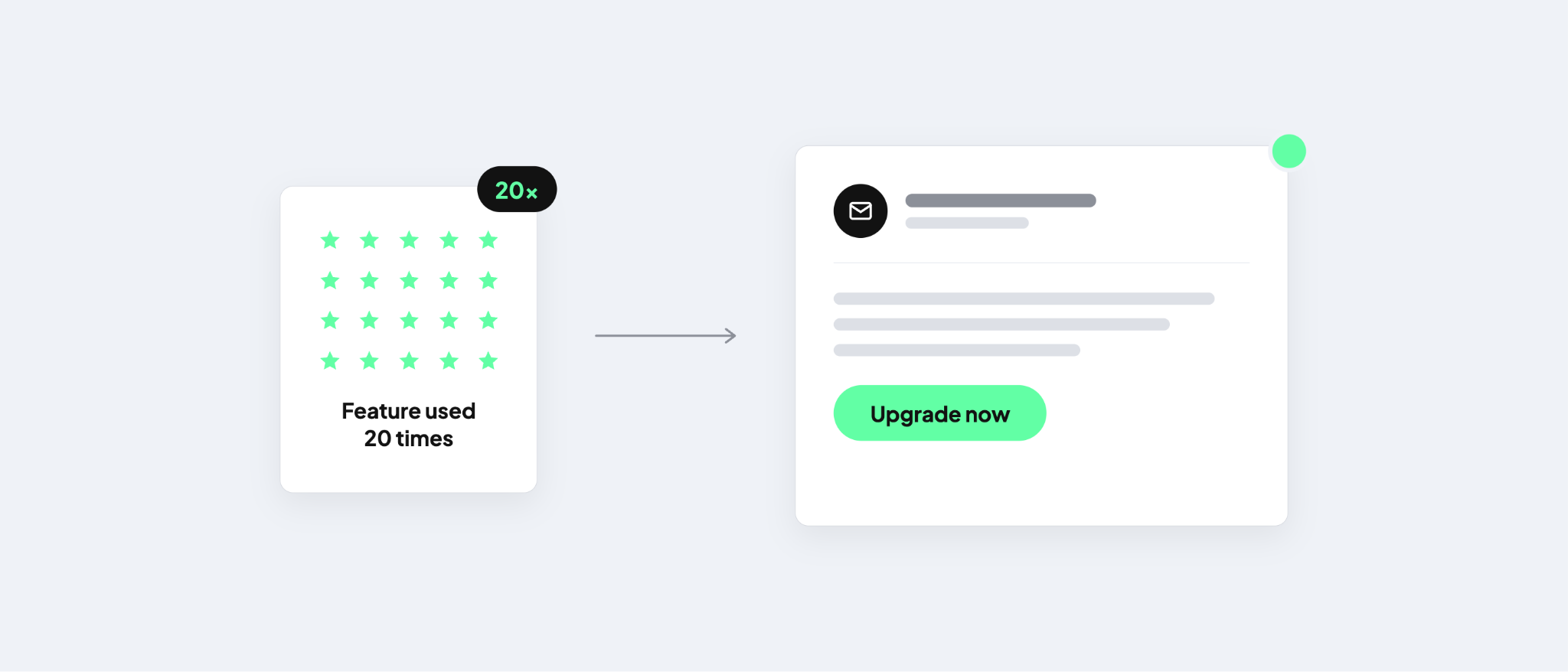
Timing matters a lot here. Prompt users when they reach a value milestone or a usage limit, for example: “You've created 10 projects. Unlock unlimited with Pro.” Typeform's value-led upgrade banner, which we covered in our onboarding examples, is a good example.
What to track
- Conversion rate
- Time-to-upgrade
- Average revenue per user (ARPU)
Benchmarks are 2 to 5% conversion for self-serve freemium and 20 to 40% for high-touch trials, with upgrades happening within 30 days for self-serve and 60 days for high-touch, where sales cycles are longer.
Flow 5: Retention and re-engagement
Onboarding continues well past activation. Retention flows keep users returning and getting more value over time. This is essential for any subscription product.
Ways you can implement this flow well include giving users tips, sending new use cases and educational drip campaigns via email, in-app short micro-courses, or checklists an quests (“Complete these three tasks to unlock a badge”).
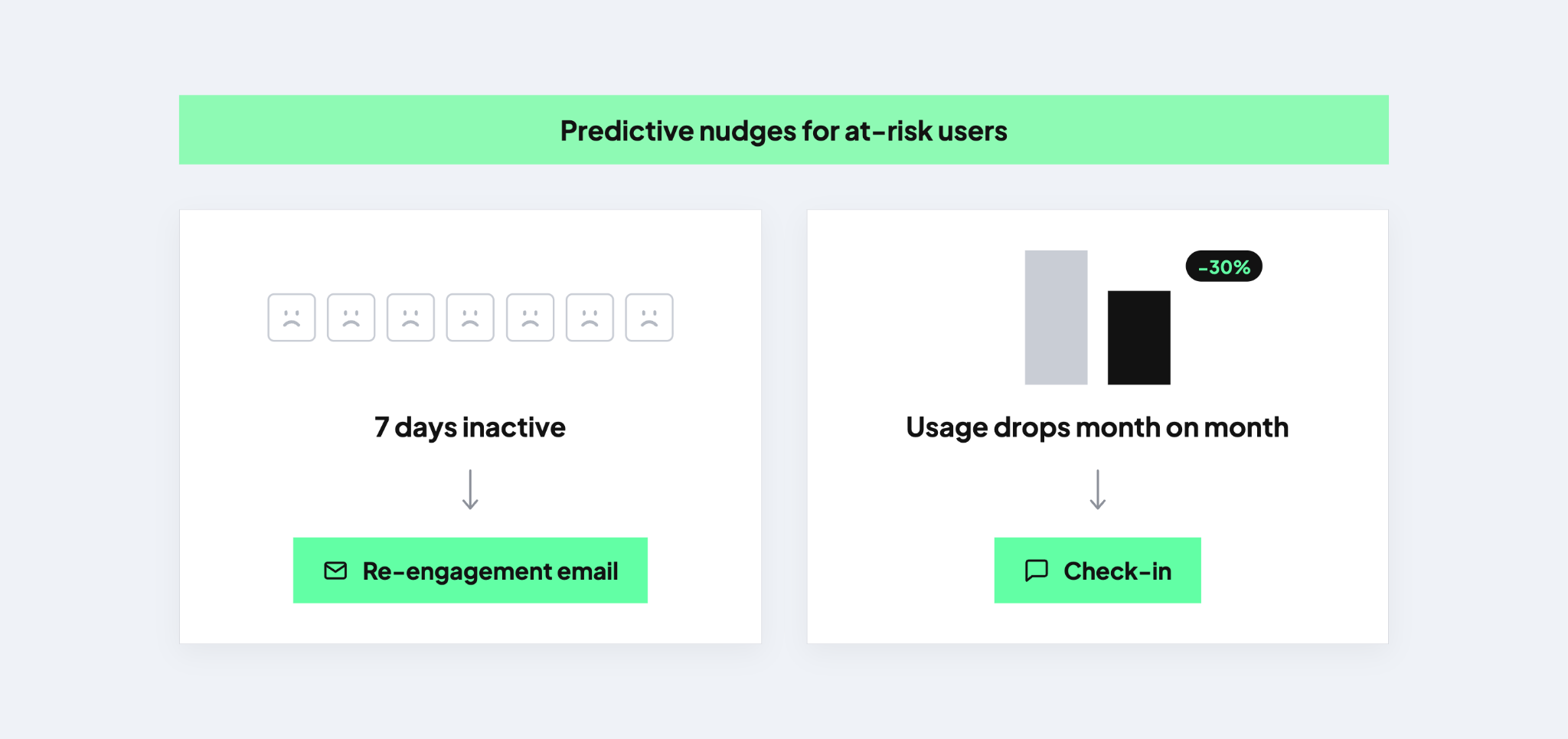
For more at-risk users, consider predictive nudges. For example, send a re-engagement email after seven days of inactivity or trigger a check-in when usage drops 30% compared to the previous month.
What to track:
- DAU/MAU (daily active users / monthly active users)
- Churn rate (% of users who leave each month)
- Reactivation rate (% of inactive users who return)
- LTV (customer lifetime value)
Aim for monthly churn under 5% for self-serve and under 2% for high-touch, a DAU/MAU ratio of 20 to 40%, and 15 to 30% of inactive users returning.
Flow 6: Support & Feedback
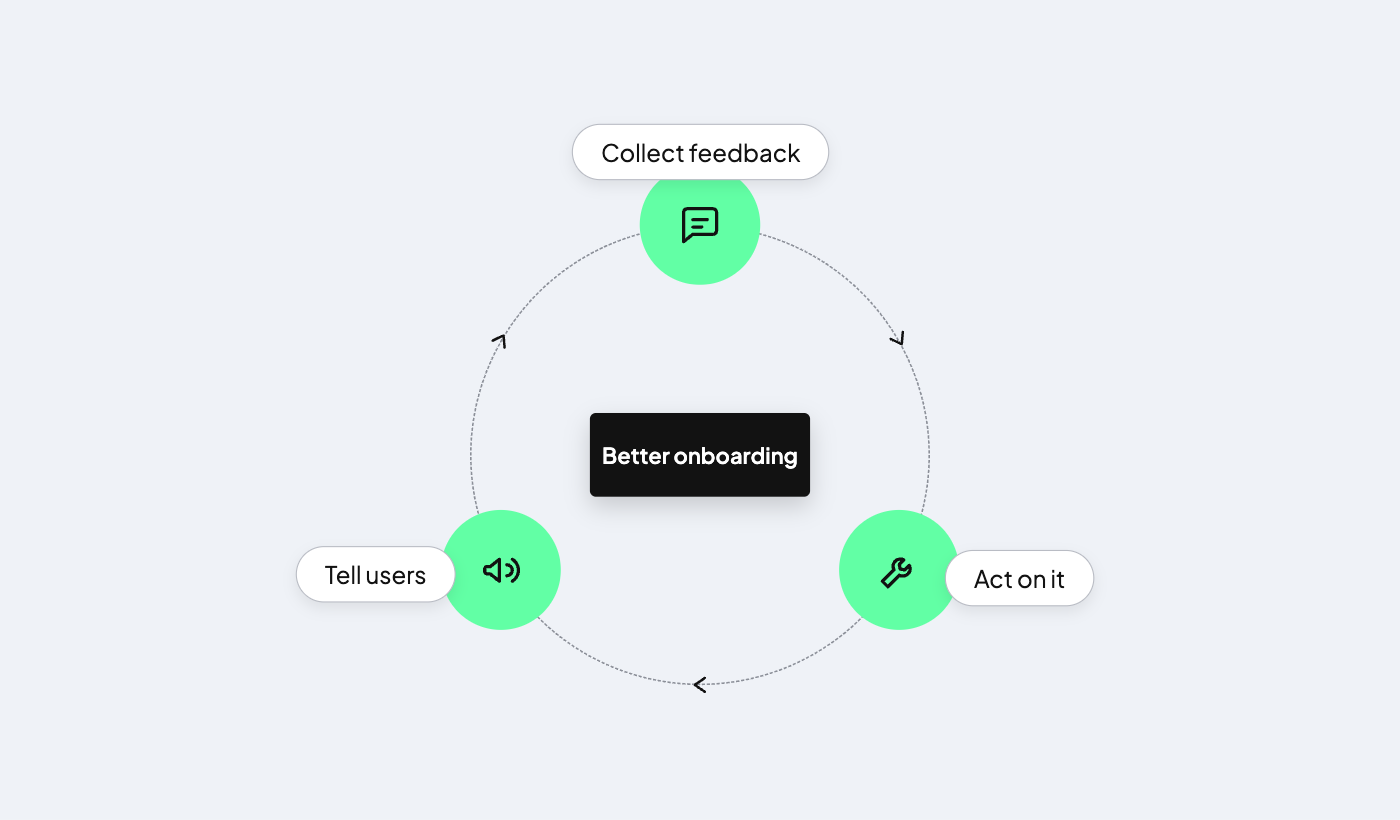
Even the best onboarding can have gaps or places where some users get stuck. Support and feedback flows act as a safety net and give you the data to improve onboarding over time. Every product needs one! (Complex products need it the most).
Self-serve products rely on help centers, chatbots and email tickets, ideally with searchable docs and in-context help links next to complex features. High-touch products add dedicated CSMs, phone support and scheduled calls.
In both cases, set up fast escalation paths and close the feedback loop by acting on suggestions and letting users know when something changes because of them. NPS or CSAT surveys after onboarding and short in-app feedback forms (“What's missing?”) make it easy to collect that input.
What to track:
- Time-to-resolution
- The share of support tickets from users in their first 30 days
- CSAT scores
- The number of product changes driven by feedback
Good looks like resolution within 24 hours for self-serve and 4 hours for high-touch, under 20% of tickets coming from new users, and CSAT above 4.0 out of 5.
How to choose the right onboarding flow
It’s likely that your product will eventually need multiple, if not all of the six flows. The big decision is which flow to prioritize first, and which onboarding model should support it. Start with your goal: do you need to grow revenue, increase adoption, or keep users coming back?
These four questions will point you in the right direction:
- What’s your primary goal? Activation, segmentation, conversion, retention and support each map to one of the flows above.
- Who are your users? Tech-savvy users can often find their own way, while non-technical users need more guidance. The same applies to SMB versus enterprise customers.
- What’s your ACV? A higher contract value justifies more hands-on support, and enterprise customers often expect it.
- How large is your user base, and what’s your support capacity? A large user base with a small team points toward self-serve and automation.
Answering these points tells you whether to prioritize self-serve, automated, guided, high-touch, or hybrid approaches.
Ready to revamp your onboarding?
Your SaaS product deserves to succeed and your onboarding deserves the same level of attention you gave to building the product.
If your onboarding isn't converting, let’s help you find out why. Get in touch and our team will help you build a successful onboarding experience.


