The product development life cycle: a designer's guide to every stage

Building a successful product is rarely a linear process. Design teams must explore ideas, challenge assumptions, test solutions, and continually evolve products after launch.
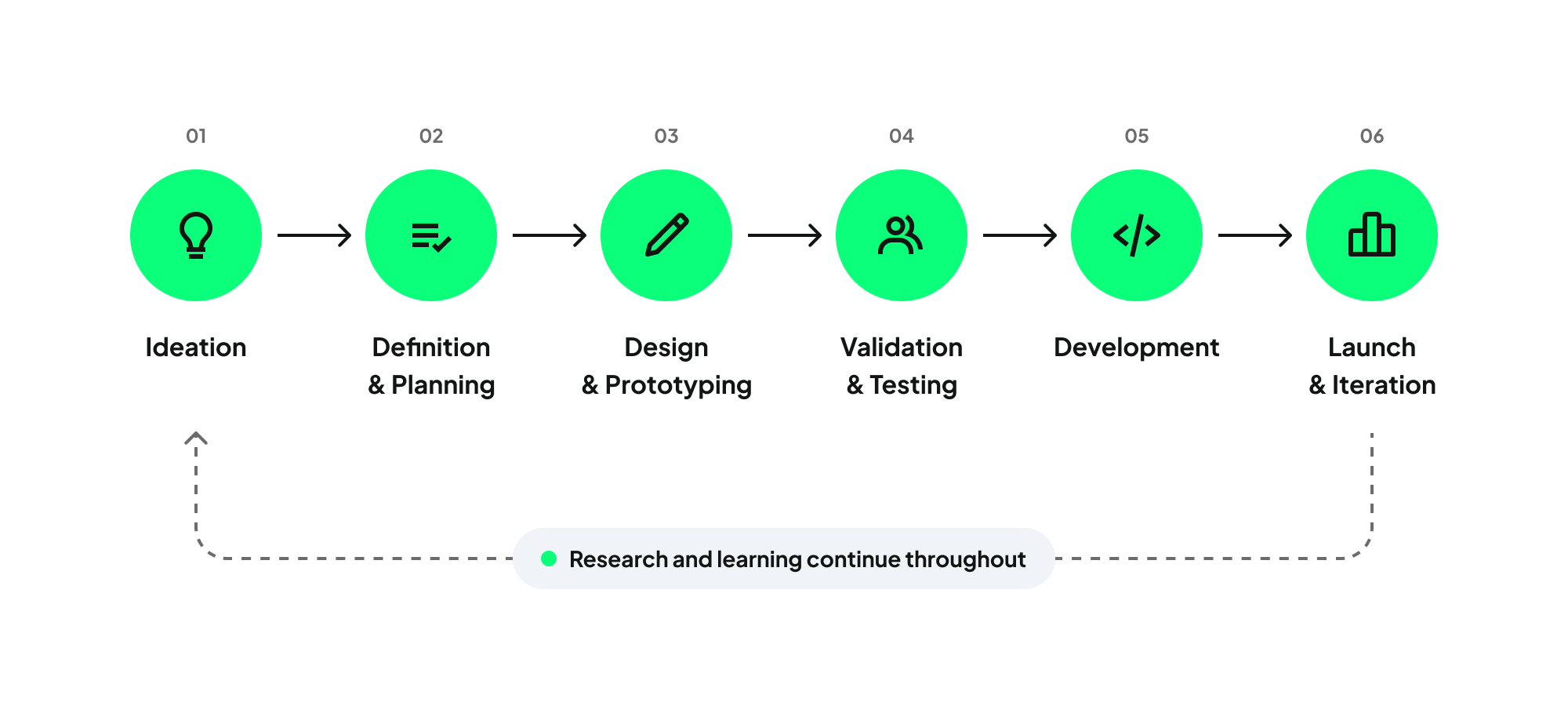
The product development life cycle guides teams through this journey. From early discovery to post-launch iteration, each stage below includes:
- the frameworks our agency found actually useful,
- the common mistakes that quietly derail projects,
- and where we think AI tools can actually save time.
Stage 1: Ideation - Where Research Does the Heavy Lifting
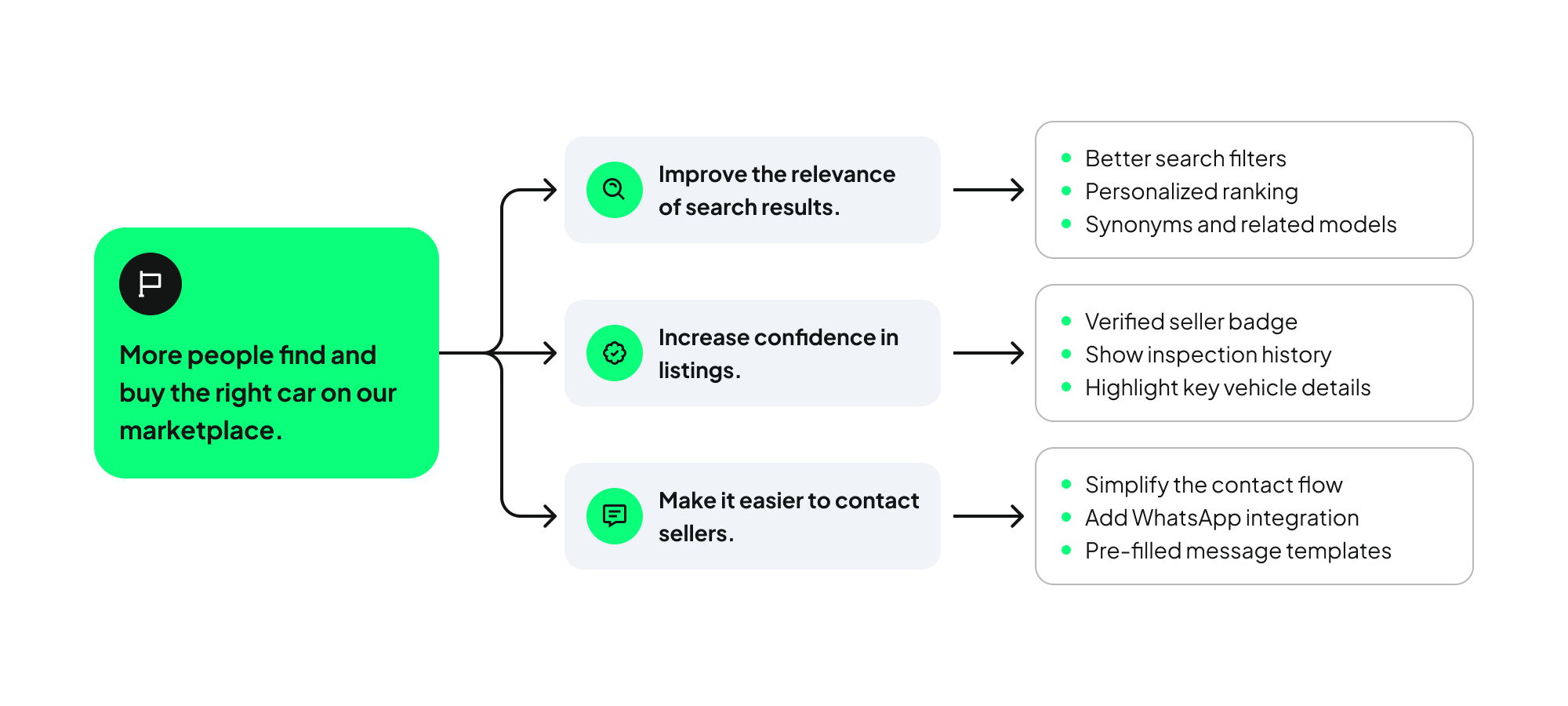
Ideation is about identifying the right problem to solve before any design begins. While often viewed as merely a brainstorming phase, it should be treated as a rigorous process of challenging assumptions and evaluating opportunities derived from customer feedback, market trends, and business goals.
UX Research adds critical discipline here. Using discovery interviews and competitor analysis, teams validate assumptions to ensure resources are invested wisely.
Ultimately, this stage should produce a shared understanding of the user and the opportunity, providing a solid foundation for the planning phase.
For freelancers and agencies specifically, this stage is where scope disputes can be prevented. Clients often expect discovery to be fast, cheap, and definitive. It’s neither of those, and the earlier you put a defined discovery scope in writing, the less likely you'll be renegotiating it in Stage 3 when the client wants "just one more round of interviews" for free.
Our tried-and-tested frameworks that hold up under pressure
- Opportunity Solution Trees (Teresa Torres' framework) keep the team anchored to a desired outcome instead of jumping straight to a favorite solution. Start with the outcome at the root, map the opportunities (unmet needs, pain points, desires) as branches, and only then attach candidate solutions as leaves. Draw the tree before you draw a single screen: it's the fastest way to catch a team quietly designing around a solution someone already had in mind.
- Jobs-to-be-Done interviews may be past their hype, but it’s still a reliable method to surface user intent. We love this method, because instead of asking what someone wants, it makes you ask what they were actually trying to accomplish the last time they went looking for a workaround. This gives you a framework rooted in practice instead of hypotheticals.
- Assumption mapping: plot your riskiest assumptions on a certainty/impact grid — how confident are you, and how bad is it if you're wrong. If you're uncertain and the cost of being wrong is high, that's what you need to validate first. This single exercise prevents most of the "we built it and nobody used it" postmortems.
Ideation research also has a shelf life teams tend to forget. A competitive scan from eighteen months ago is a snapshot of a market that's since moved, not current data. Whenever you can, push for a quarterly "assumptions check" even on projects past the ideation stage, especially in fast-moving categories like fintech or AI tooling.
Where AI genuinely fits:
Use Claude or ChatGPT to synthesize interview transcripts into candidate themes — it's fast and it's a legitimately useful first pass. But treat the output as a hypothesis, not a finding. Before a theme goes into a client-facing report, trace it back to at least three verbatim quotes yourself. LLMs are prone to smoothing over contradictions in the data to produce a tidier narrative than the evidence actually supports, and a client will eventually ask a question your synthesis can't answer if you haven't done that verification pass.
Otter.ai or Fireflies handle transcription during discovery calls, which matters more than it sounds — being able to stay present in the conversation instead of scribbling notes changes the quality of the follow-up questions you ask in the room. Perplexity or ChatGPT with browsing are solid for a fast first competitive scan, good for identifying what to investigate manually rather than a substitute for actually using a competitor's product yourself. And Dovetail's AI tagging can meaningfully speed up affinity mapping across a large interview set — just spot-check its clusters, since it tends to over-group quotes that sound similar but represent genuinely different underlying intents.
Stage 2: Definition & Planning - Aligning Teams Before Anyone Writes a Line of Code
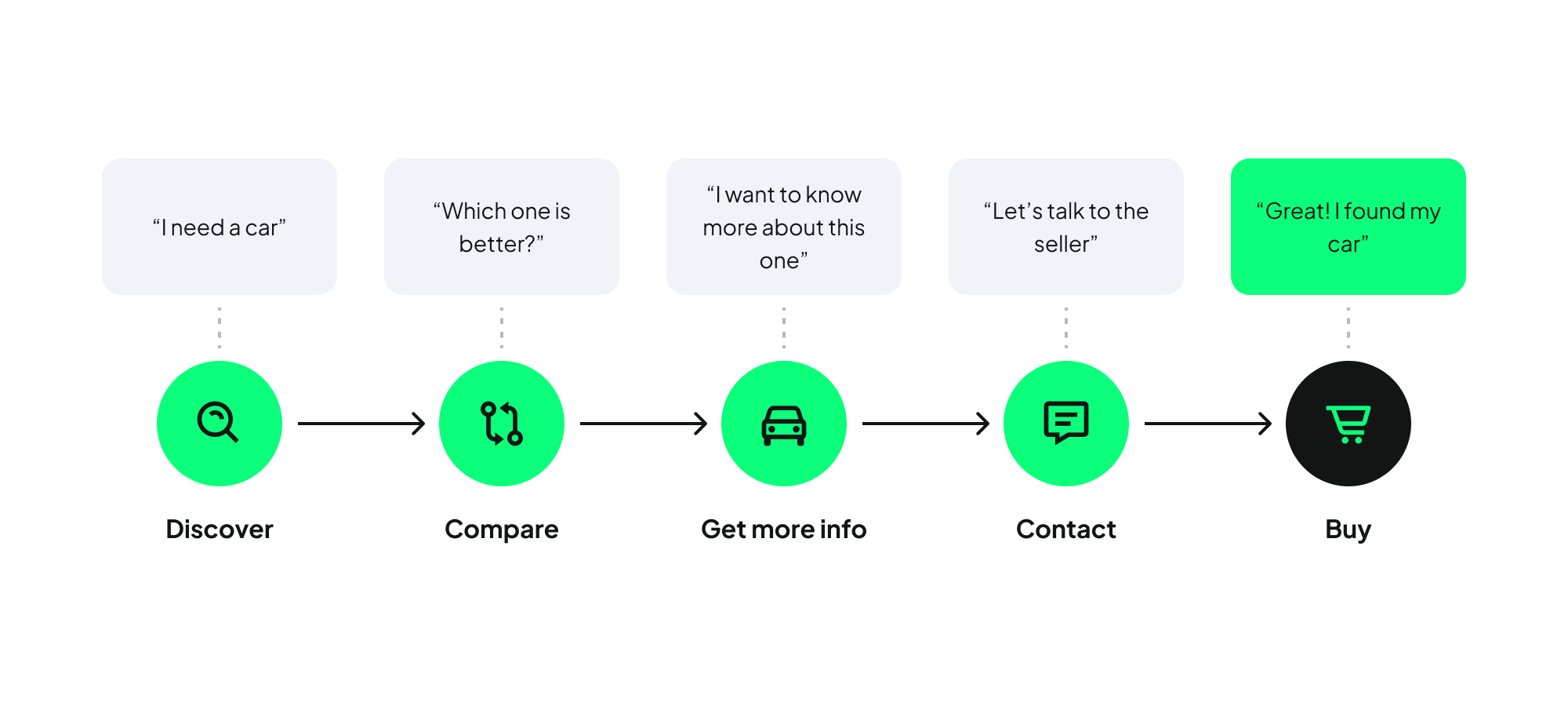
Once a promising opportunity is identified, the team must define the product. This stage involves narrowing ideas, establishing priorities, and shaping a clear product vision.
At this stage, teams typically create roadmaps, define requirements, and agree on success metrics. The goal isn't to document every detail upfront, but to create enough clarity for the team to move forward with confidence. Research findings, business goals, technical constraints, and user needs all need to be considered before development begins.
For designers and researchers, this is an opportunity to bring user insights into strategic discussions. While product teams focus on scope and prioritization, designers and researchers ground strategic decisions in real user needs. Tools like journey maps, service blueprints, early flows and low-fidelity wireframes help align the team and identify gaps early.
A common pitfall is rushing this phase. Success requires balancing ambition with reality and defining a manageable scope that delivers immediate value
The outcome is a shared commitment to what the team will build first and a unified understanding of success.
A lightweight PRD — or a one-pager if your organization resists heavier documentation — that states the problem, the target user, the success metric, and, critically, the explicit non-goals. The non-goals section does more to prevent scope creep than any prioritization framework, because it gives you something to point back to three weeks later when someone asks "can we also just add..."
Use a Now/Next/Later roadmap (Janna Bastow's format) instead of a date-committed roadmap for anything beyond the current quarter. It communicates sequencing and intent without manufacturing a false sense of certainty that a Gantt chart implies. Clients and stakeholders read date-stamped roadmaps as commitments even when you've labeled them "estimates," so don't give them dates you can't defend.
Prioritize with RICE — Reach, Impact, Confidence, Effort — instead of gut feel or whoever argues most persuasively in the planning meeting. RICE isn't a perfect scoring system, and nobody should pretend the numbers are objective. Its real value is that it forces an explicit confidence conversation, which is the part teams skip when they're excited about an idea.
Define your success metric before design work starts, not after launch when someone asks how it went. If you can't state, in one sentence, the metric a design change is meant to move, you're not ready to start designing it — you're ready to have one more planning conversation.
Service blueprints are underused at this stage, usually because they take an extra half-day nobody feels they have time for. But for anything touching more than one team — support, sales, backend systems, a partner integration — a blueprint surfaces cross-team dependencies while they're still cheap to renegotiate. Discovering a backend constraint during Stage 5 costs weeks; discovering it during a blueprinting session costs an afternoon.
Where AI genuinely fits:
Draft the first version of a PRD or creative brief with Claude or ChatGPT, feeding it your research synthesis and stated business goals. It's genuinely fast at producing a structured first draft that you then edit down — a real time-saver on the parts of planning that are mostly organizational, not judgment-based. What it shouldn't do is invent success metrics or user needs on your behalf; those need to trace back to your actual research, and a model filling gaps with plausible-sounding defaults is a real risk if you're not reading closely.
Miro's AI clustering or FigJam AI can speed up journey-map synthesis after a large workshop with dozens of sticky notes — genuinely useful when you're staring down a wall of unsorted input. Re-check the clusters against the actual research before you treat them as final; the same over-grouping issue that shows up in interview synthesis shows up here too.
Stage 3: Design & Prototyping - From Concepts to Something You Can Test
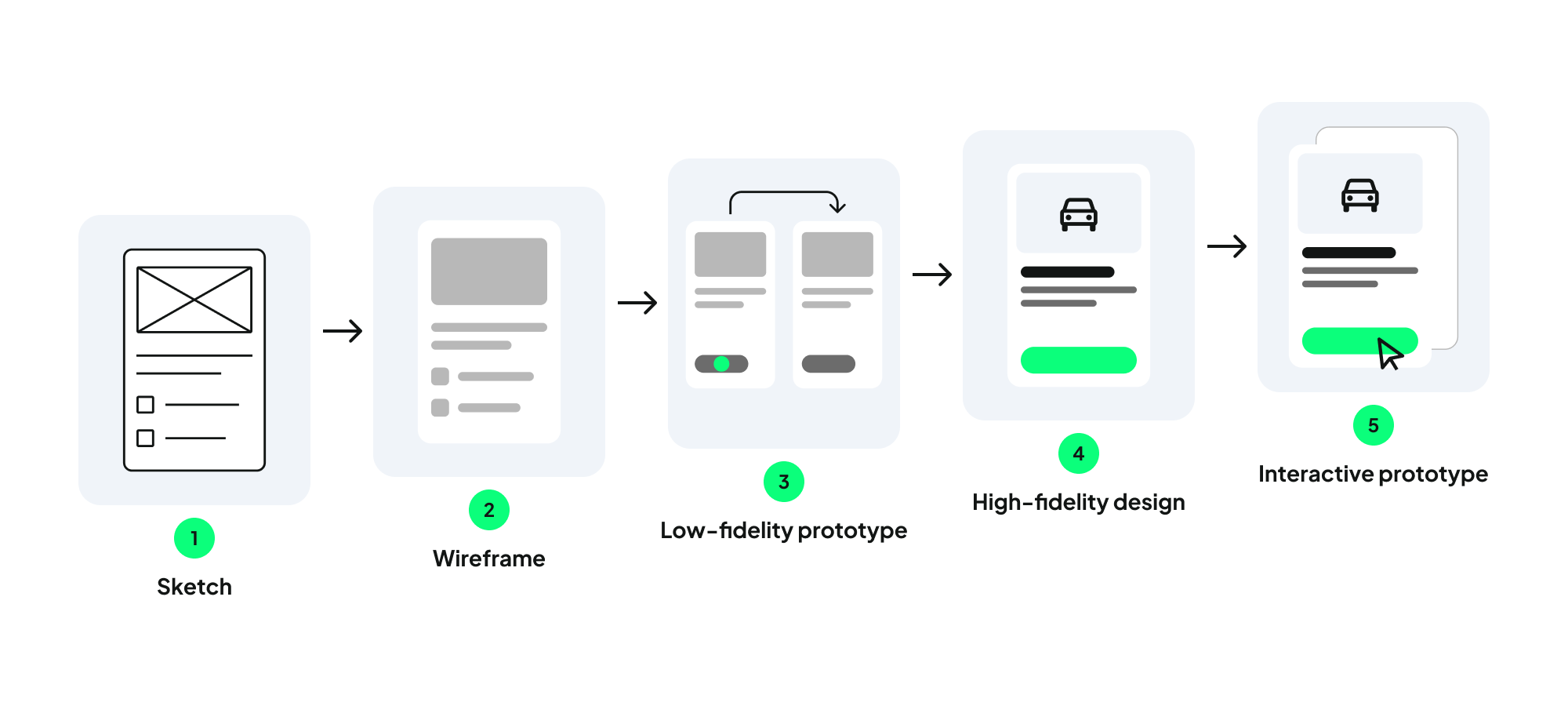
Design and prototyping bring ideas to life. Teams iterate through flows, wireframes, and prototypes, transforming abstract concepts into testable, tangible solutions.
While design takes center stage here, prototyping isn't just about creating screens. The best prototypes act as communication tools, helping designers, product managers, stakeholders, and users align around a solution before development begins..
One common challenge is focusing too much on visual details too early. When high-fidelity designs are introduced from the start, conversations can shift toward colors and layouts rather than the underlying problem. Introducing fidelity gradually helps keep feedback focused on the solution itself.
While AI tools like Figma Make can rapidly accelerate conceptual exploration, they are best used as aids—not substitutes—for the design process. Ultimately, the goal isn't to produce beautiful screens, but to build shared confidence in the solution before development begins.
The discipline that actually prevents wasted work:
Use a fidelity ladder deliberately — sketches, then grayscale wireframes, then clickable low-fidelity, then high-fidelity, in that order and not skipping steps. Jumping straight to high-fidelity is the single most common reason feedback sessions devolve into color and font debates instead of conversations about flow and logic. Stakeholders react to what's in front of them; if what's in front of them looks finished, they'll critique finish, not structure.
Run Crazy Eights or a similar rapid-divergence exercise before converging on a direction. This isn't just a workshop icebreaker — even solo freelancers benefit from forcing themselves through eight rough concepts before committing to the first idea that felt right, because the first idea is rarely examined critically enough on its own.
If you're working against a design system, build inside it from wireframe stage onward, not after high-fidelity is "done." Custom one-off components created at high fidelity are the single most common source of rework once development starts, because they either don't map cleanly to existing tokens or require an engineering conversation that should have happened three steps earlier.
Document your rationale as you go — a short Figma page or Notion doc noting why you rejected an alternative direction. This single habit saves you from re-litigating the same decision with a stakeholder three weeks later when they've forgotten the conversation that ruled it out the first time.
Where AI genuinely fits:
Figma Make, Galileo AI, Uizard, and v0 by Vercel can take a rough concept to a plausible high-fidelity mockup or working prototype in minutes. This is genuinely useful for exploring more directions faster, and it's particularly valuable for agencies that need to show range quickly in an early client conversation. Treat the output as raw material to edit, not a finished design — these tools default to generic, familiar patterns, and the actual design judgment still has to come from you, applied on top of what the tool generates.
Claude or ChatGPT are solid for generating microcopy variants — error messages, empty states, onboarding copy — faster than staring at a blank text field waiting for the right phrasing to arrive. You're still the one selecting, refining, and making sure the final voice matches the product, but having five decent options to choose from beats writing five drafts yourself from scratch.
For code-adjacent prototypes, pairing a design export with Claude Code or GitHub Copilot can get you to a genuinely interactive prototype faster than static Figma frames allow — which matters when you're testing a complex interaction pattern that a click-through prototype can't represent honestly.
Stage 4: Validation & Testing - Don't Ship What You Haven't Tested
Before investing in development, it's worth making sure the solution actually works for the people it's intended for. Validation and testing help teams identify usability issues, challenge assumptions, and refine the experience while changes are still relatively inexpensive.
During this phase, researchers and designers collaborate on usability testing, user interviews, concept validation, and data analysis. The focus isn't on accumulating feedback, but on identifying recurring patterns that highlight critical usability challenges and improvement opportunities prior to launch.
One of the biggest benefits of testing is that it saves time and money. In our experience, the most important issues usually emerge early. Once recurring patterns become clear and critical usability problems have been addressed, additional testing often produces diminishing returns. The goal is building enough confidence to move forward while reducing unnecessary risk.
The numbers worth knowing:
Nielsen Norman's long-standing guidance still holds up: five users per round of qualitative usability testing surfaces roughly 85% of usability problems in a given flow. The practical implication is that you should run multiple small rounds rather than one large one — five users, fix what you find, five more users on the revised version, repeat. This beats a single fifteen-person study both in cost and in the quality of what you learn, because you get to act on findings between rounds instead of banking them all for a single report.
Matching method to question:
Use five-second tests for first-impression and clarity questions — does the value proposition land, is the hierarchy obvious at a glance. Use task-based moderated testing when you need to understand comprehension and flow issues, since watching someone hesitate tells you far more than asking them afterward why they hesitated. Use unmoderated remote testing — Maze, UserTesting, Lookback — when you need volume or geographic spread quickly and don't need the follow-up questions moderated sessions allow.
Track task success rate and time on task alongside your qualitative notes. Numbers make it considerably easier to defend a fix when a stakeholder pushes back with "that's just one person's opinion" — a 40% task failure rate across five sessions is a harder thing to argue with than a single quote.
For validating a concept before anything is built, concept testing with a static image or simple prototype against a control condition works well, as does a fake-door test for gauging real demand for a feature that doesn't exist yet — a "coming soon" button with a waitlist signup tells you more about actual interest than a survey question ever will.
Knowing when to stop:
Diminishing returns here are real, not a rationalization for cutting corners. Once a usability issue shows up in three or more sessions and you understand why it's happening, additional sessions on that same flow rarely add new information. Reallocate that testing budget to a flow you haven't validated yet instead of over-testing one you already understand.
Where AI genuinely fits, and where to be careful:
Maze and UserTesting both now ship AI-generated highlight reels and theme summaries from session recordings, which is genuinely useful for scanning a large batch of unmoderated sessions quickly. But watch the full recording of anything flagged as a critical issue before acting on the summary alone — AI summarization tools compress nuance, and the difference between "confused briefly" and "gave up entirely" matters for how you prioritize the fix.
LLMs can help code open-ended survey responses into themes at scale, which is genuinely tedious to do by hand at volume. Spot-check a sample against your own read of the raw responses to catch systematic misreads before you present the coded themes as final.
Be cautious with tools that offer "synthetic user" or AI-simulated feedback in place of real participants. They can be a reasonable sanity check on whether a prototype's copy or layout is clear, but they do not replace testing with real users, and presenting AI-simulated feedback as user research to a client — even unintentionally — is a real credibility risk if it ever comes up.
Stage 5: Development - What Designers Need to Know (and Do) During the Build
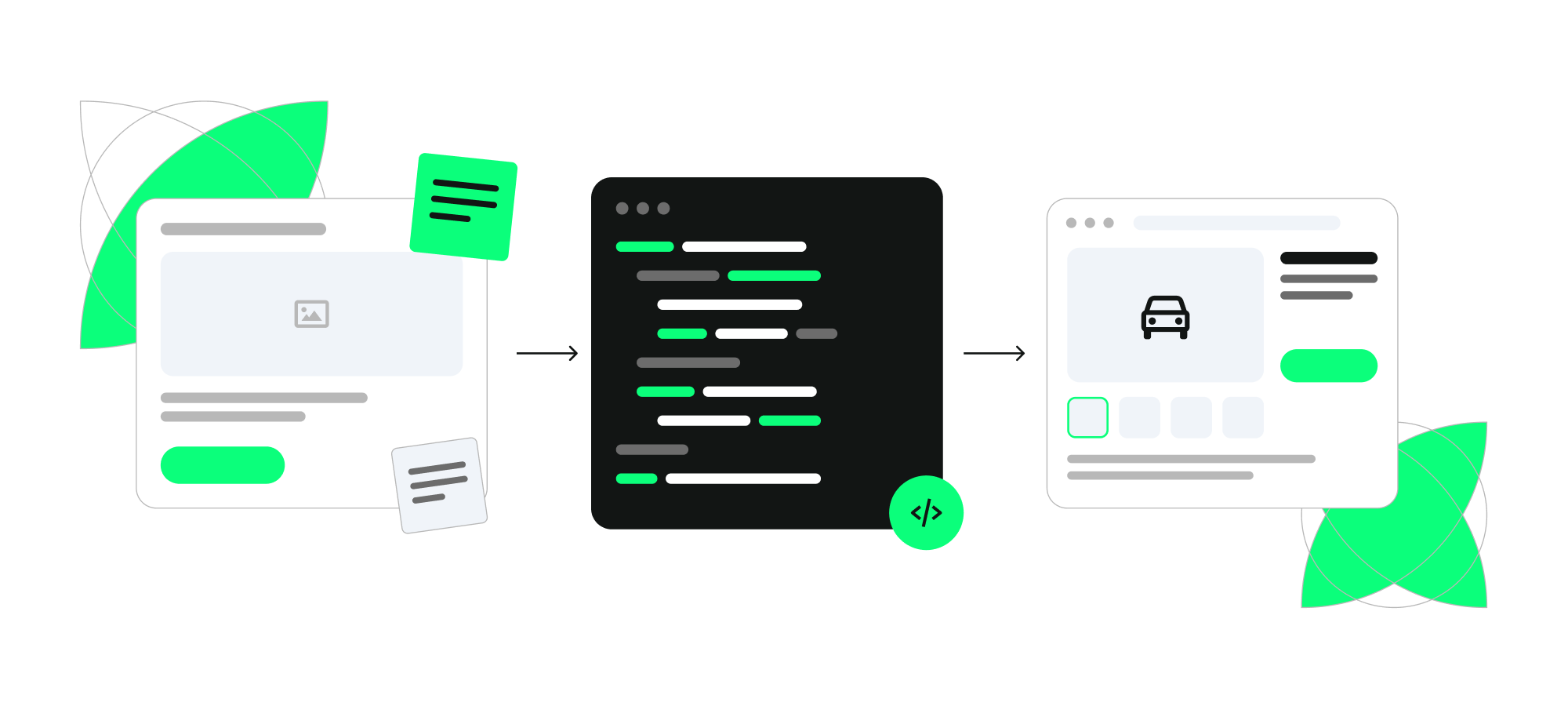
With a validated solution in place, development can begin. But this doesn't mean design work is finished. Development is where design intent gets translated into a working product, and new questions, constraints, and edge cases inevitably emerge.
Design QA is crucial here; by reviewing implemented features, designers ensure the final product stays true to the original vision. This isn't about micromanaging developers, but about clarifying decisions, catching inconsistencies, and helping teams solve problems as they arise.
The most successful teams treat development as an ongoing collaboration rather than a one-time handoff. Regular communication and quick feedback loops help keep implementation aligned with both user needs and business goals.
A concrete design QA process:
Build a design QA checklist specific to the project — spacing and alignment, every interaction state (empty, loading, error, success, disabled), responsive behavior across breakpoints, and accessibility basics like contrast ratios, focus order, and alt text. Reviewing against a written checklist catches meaningfully more than reviewing from memory or a general sense that "it looks right."
Push for design tokens and a shared component library — Storybook is the common tool for documenting and reviewing these — so implementation drift gets caught structurally rather than by a human eyeballing every screen. This is an investment that pays off fastest on longer engagements or products with an ongoing development cadence, less so on a one-off landing page.
Set up a short, recurring sync with engineering — even fifteen minutes twice a week — rather than relying on a single handoff meeting and hoping questions surface through Slack. Most implementation drift happens in the small decisions engineers make when a spec doesn't explicitly cover an edge case, and those decisions are far cheaper to catch in a quick sync than in a QA pass after the feature is already built and merged.
Run an accessibility pass with axe DevTools or WAVE before launch, not in response to a complaint after it. WCAG 2.2 AA is the reasonable baseline to target for most client and product work at this point, and it's worth stating that explicitly in your process documentation so it doesn't get quietly dropped under deadline pressure.
Where AI genuinely fits:
GitHub Copilot and Claude Code have measurably sped up the engineering side of most builds, which in practice means design QA cycles arrive faster and more often than they used to. Plan for smaller, more frequent reviews rather than one large review at the end of a sprint — the cadence of design QA needs to match the new cadence of implementation.
Claude Code can also be pointed at a component's actual implementation and its Figma spec side by side to flag inconsistencies before a human review pass — a genuinely useful first filter that catches obvious spacing or state mismatches, though it's not a replacement for a designer's eye on the actual rendered product in a real browser.
Chromatic or Percy for automated visual regression testing catches unintended visual drift on every pull request, which is worth setting up on any project with a shared component library and more than one contributor touching the codebase.
Stage 6: Launch & Iteration - The Life Cycle Doesn't End at Ship
Launching a product is an important milestone, but it's also the moment when assumptions meet reality. Once users begin interacting with the product, teams can finally observe real behavior rather than relying on research, prototypes, or predictions.
The strongest product teams treat launch as the beginning of a new learning cycle. By reviewing analytics, collecting feedback, and revisiting research insights, they can identify new opportunities and continuously improve the experience. This is where a growth design mindset becomes particularly valuable.
For client projects, this is often where agency involvement decreases. However, periodic UX audits and follow-up research can help teams uncover new ouser needs.
Getting the measurement right:
Instrument before you launch, not after. Decide your key events and success metric back in Stage 2, then confirm Amplitude, Mixpanel, or PostHog is actually tracking them correctly before the release goes out. Retrofitting analytics after launch means you've lost your baseline, and "we'll add tracking next sprint" is one of the more expensive sentences in product work because it usually means losing the exact before-and-after comparison you needed most.
Watch retention curves, not just acquisition numbers. A feature that gets tried once and never touched again is a fundamentally different problem than a feature nobody tries in the first place, and the fix for each is completely different — one is a discoverability problem, the other is a value problem.
Building the habit of coming back:
Run a post-launch UX audit at a fixed interval — thirty, sixty, and ninety days is a reasonable default — rather than waiting for something to visibly break before you look again. For agencies, this is also where an ongoing retainer relationship gets structured instead of letting client involvement taper off naturally after delivery, which is often where good client relationships quietly end without either side deciding to end them.
Close the loop with support and sales teams regularly. They hear the unfiltered version of what isn't working, usually well before it shows up clearly in a dashboard, and that qualitative signal is worth actively soliciting rather than waiting for it to be escalated to you.
Where AI genuinely fits:
Claude or ChatGPT are genuinely useful for synthesizing analytics dashboards, support tickets, and qualitative feedback into a single post-launch summary. Feed it the raw exports and specifically ask it to flag contradictions between what users say in feedback and what the usage data actually shows — that gap is often where the most useful post-launch insight is hiding, and it's tedious to find by manually cross-referencing sources yourself.
Anomaly detection features built into tools like Amplitude and PostHog can flag unexpected drop-offs in a funnel faster than a human scanning a dashboard on a weekly cadence. Set alerts on your core funnel steps directly rather than relying on someone remembering to check manually — the value of anomaly detection is that it doesn't depend on anyone's memory.
Conclusion
The product development life cycle isn't a straight line. Each stage builds on the previous one, and every launch creates new opportunities to learn and improve.
Whether you're exploring a new idea, validating a prototype, or reviewing post-launch data, the goal remains the same: understand the problem, reduce uncertainty, and make better product decisions. The teams that do this consistently are the ones that continue learning long after the first release.
Need a partner to turn your product ideas into user-centred digital experiences? Get in touch with our team to discuss how we can help you navigate every stage of the product development process.